An E Ink phone is a mobile device that uses an electronic-paper display instead of the LCD or OLED screen found on most smartphones. The technology is designed to make text easier to read in bright light, consume less power when the screen content is static, and create a more focused alternative to the typical smartphone experience.
E Ink phones are not simply older-looking smartphones. They are built around a different set of priorities: reading, battery life, outdoor visibility, distraction reduction, and in some cases digital minimalism.
The trade-off is equally important. E Ink screens refresh much more slowly than OLED displays, scrolling can look less fluid, colors are limited on many models, and video and fast-paced gaming are generally poor experiences.
So, is an E Ink phone worth buying? It depends on what you want from your phone.
If you spend a lot of time reading, want fewer visual distractions, need excellent outdoor readability, or value long battery life, an E Ink phone can make sense. If you care about gaming, photography, smooth video, or a fast 120Hz-style smartphone experience, a conventional OLED phone will usually be the better choice.
What Is an E-Ink Phone?
An E Ink phone is a phone or phone-like mobile device equipped with an electronic-paper display. Instead of producing an image with a continuously illuminated LCD or OLED panel, E Ink displays use electrically controlled particles to form an image that remains visible without continuously refreshing the display.
The result looks much closer to printed paper than a traditional smartphone screen.
This technology is already familiar from e-readers. Devices such as Kindles helped popularize electronic-paper displays for reading, while newer E Ink mobile devices have brought the same basic concept into smaller, smartphone-shaped hardware.
Modern E Ink phones can be much more capable than simple e-readers. Some run Android and support third-party apps, cellular connectivity, cameras, GPS, Bluetooth, and other smartphone functions.
For example, the Bigme HiBreak S is a genuine 4G smartphone with a 5.84-inch E Ink display, Android 14, dual-SIM support and a 3,300mAh battery.
Other devices sit somewhere between an e-reader and a smartphone. The BOOX Palma 2 Pro, for example, has a 6.13-inch color E Ink display, Android 15, Google Play support and cellular data, but BOOX describes its SIM functionality as data-only. That means it should not automatically be treated as a conventional voice-calling smartphone.
That distinction matters when shopping for an E Ink phone.
How Does E Ink Technology Work?
E Ink displays work differently from conventional smartphone screens.
A typical OLED or LCD display actively produces or controls light to create the image you see. E Ink is primarily a reflective display technology: it uses surrounding light in much the same way that printed paper does.
At a simplified level, an E Ink display contains tiny capsules or microcapsules containing charged particles. Electrical signals move those particles into different positions, changing which colors or shades are visible at the surface.
Once the image has been formed, the display can maintain that image without continuously drawing the same amount of power as a conventional illuminated screen.
This is one reason E Ink works particularly well for static content such as:
- Books
- Articles
- Documents
- Notes
- Maps
- Lists
- Text-heavy websites
The limitation is that changing the image takes longer than on a conventional smartphone panel. That is why fast scrolling, animations and video remain challenging.
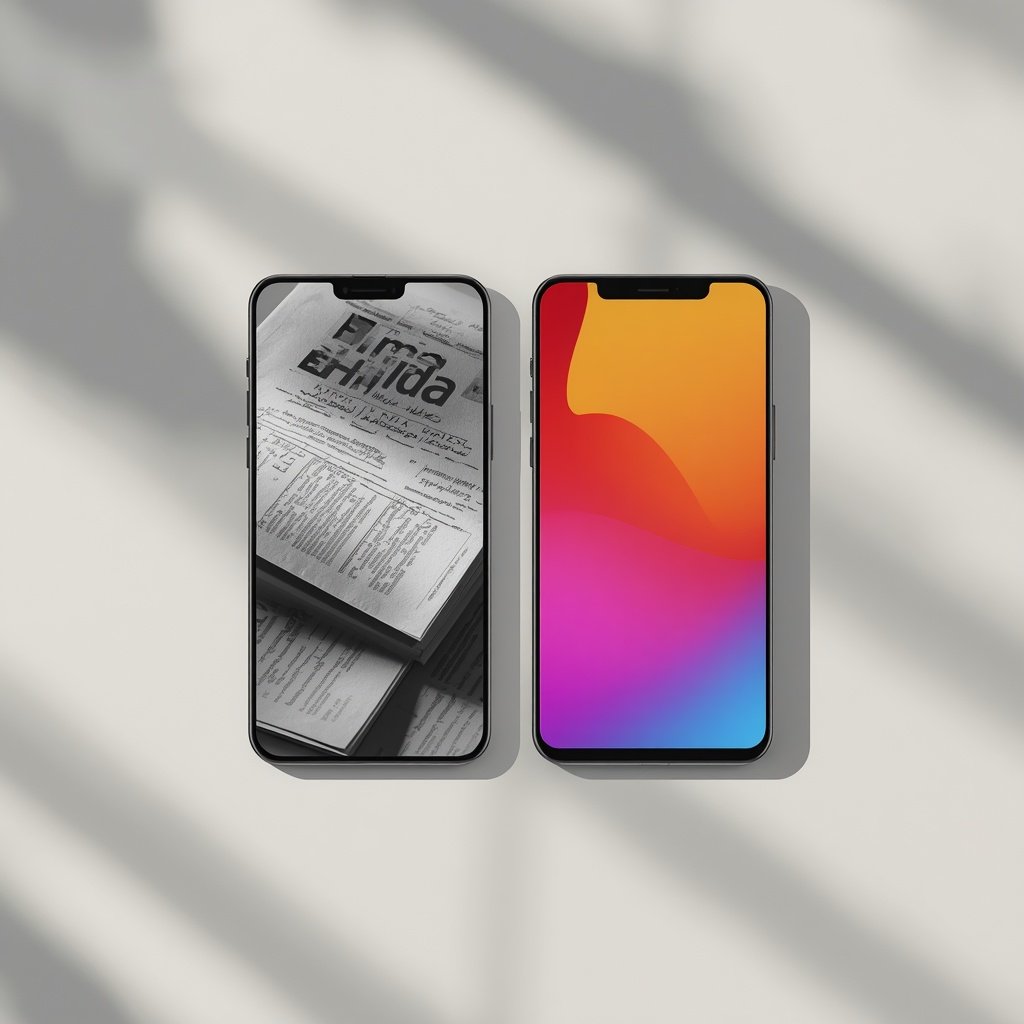
E Ink vs OLED: What’s the Difference?
The biggest difference is not simply resolution or brightness. It is how the display produces the viewing experience.
| Feature | E Ink Phone | OLED Phone |
|---|---|---|
| Display appearance | Paper-like | Bright and vivid |
| Outdoor readability | Excellent in bright light | Usually good, but reflections can be an issue |
| Static image power use | Very low | Higher |
| Scrolling | Slower | Very smooth |
| Video | Limited | Excellent |
| Gaming | Poor for fast games | Excellent |
| Colors | Limited on many models | Wide and vibrant |
| Reading | Major strength | Good |
| Battery potential | Often excellent | Usually shorter |
| Refresh speed | Slow | Very fast |
| Distraction potential | Lower on many devices | Higher |
This does not mean E Ink is automatically “better” than OLED.
It means the two technologies are optimized for different experiences.
An OLED smartphone is designed to make everything feel fast and visually rich. An E Ink device intentionally gives up some of that speed and visual intensity in exchange for readability, efficiency and a more restrained interface.
Why Buy an E-Ink Phone?
1. Excellent outdoor readability
Bright sunlight can be one of the best environments for E Ink.
Because E Ink is reflective rather than dependent on a traditional bright backlight for visibility, text can remain highly readable in direct sunlight. This makes E Ink particularly attractive for reading outdoors, navigation and other situations where conventional screens can become difficult to see.
BOOX specifically highlights the direct-sunlight readability of its Kaleido 3 display used in the Palma 2 Pro.
2. Long battery life potential
Battery efficiency is one of the strongest reasons to consider an E Ink phone.
E Ink itself does not need to continuously illuminate the display to keep a static image visible. The display mainly consumes significant power when the image changes.
That makes the technology particularly efficient for reading and other activities involving relatively static content.
However, don’t assume every E Ink phone will automatically last for weeks. The overall battery life still depends on the processor, cellular modem, Wi-Fi, front light, cameras, apps and how frequently the screen refreshes.
The Bigme HiBreak S, for example, combines its E Ink panel with a 3,300mAh battery and Android 14.
3. A better device for reading
If you read articles, books, PDFs or long documents on your phone, E Ink has an obvious advantage.
The paper-like appearance makes the device feel more like an e-reader than a conventional smartphone.
This is particularly useful for people who want their phone to become more of a reading and information device rather than a constant source of video, social media and notifications.
4. Less visual stimulation
E Ink phones are often attractive to people who want to reduce unnecessary screen time.
The slower refresh rate is not just a technical limitation. For some users, it becomes part of the appeal.
Scrolling through an E Ink display is less visually fluid than scrolling through an OLED phone, and video is far less compelling. That can make the device less attractive for endless feeds and short-form video.
Some manufacturers explicitly position their E Ink phones around distraction reduction. Mudita, for example, markets its Kompakt as a minimalist E Ink phone designed for fewer distractions, with a custom operating system and essential features rather than a conventional app-heavy smartphone experience.
5. Great for certain types of work
E Ink can work well for people who primarily use their phones for:
- Reading documents
- Checking email
- Writing short notes
- Reviewing PDFs
- Reading news
- Checking calendars
- Using basic productivity apps
- Listening to podcasts or audiobooks
The experience becomes less convincing when the task depends on rapid animations, high-quality video or intensive graphics.
What Are the Disadvantages of an E-Ink Phone?
E Ink technology has significant compromises, and understanding them is more important than reading a list of advantages.
Slow refresh and scrolling
This is probably the biggest adjustment for anyone moving from an OLED smartphone.
When you scroll quickly through a website, the movement can look less fluid. Some devices offer different refresh modes that trade image quality for speed, but they cannot completely turn E Ink into a 120Hz OLED panel.
Newer devices are improving this problem. Bigme’s HiBreak S, for example, uses its own refresh technology to make scrolling and other interactions smoother than traditional E Ink implementations.
But the fundamental difference remains.
Video is not a strength
You can technically find E Ink devices capable of displaying video, especially newer color models with faster refresh modes.
That doesn’t mean they provide the same experience as an OLED smartphone.
Fast-moving video requires constant screen updates, which exposes the limitations of E Ink. Motion can appear less natural, and color and contrast are generally not comparable with a modern OLED panel.
If YouTube, Netflix, TikTok or Instagram Reels are major parts of your phone usage, an E Ink phone may feel frustrating.
Gaming is limited
Casual games that rely mostly on text or simple graphics may work.
Fast-paced games are another story.
Competitive shooters, racing games and visually intensive titles are designed around fast refresh rates and responsive animation. E Ink is fundamentally not designed for that type of workload.
For gaming, OLED remains the obvious choice.
Color E Ink is different from OLED
Color E Ink exists, but it does not reproduce color in the same way as an OLED smartphone.
The colors tend to look softer and less saturated.
BOOX’s Palma 2 Pro uses a Kaleido 3 color E Ink display and lists 300 pixels per inch for black-and-white content but 150 pixels per inch for color.
That is perfectly reasonable for documents, comics and basic visual content, but it is not intended to compete with a flagship OLED display for photography or video.
Cameras are rarely the main reason to buy one
Some E Ink smartphones have perfectly usable cameras.
But if photography is one of your top priorities, a conventional smartphone will usually provide a much stronger overall camera experience.
E Ink phones are designed around the display and the way you interact with the device. Camera quality is generally a secondary consideration.
Are E-Ink Phones Good for Your Eyes?
This question needs a more careful answer than simply saying that E Ink is “better for your eyes.”
E Ink is a reflective display technology and can provide a paper-like viewing experience without the same type of continuously illuminated screen used by OLED and LCD phones.
That can make reading feel more comfortable for some people.
However, there is no reason to treat an E Ink phone as a medical solution for eye problems. Individual comfort varies, and reading distance, lighting, font size, viewing habits and breaks also matter.
Even BOOX’s own product information says individual experiences with digital eye strain can differ and recommends regular breaks and balanced screen time.
So the more accurate claim is:
E Ink can provide a different and often more paper-like reading experience, but it should not be marketed as a cure or guaranteed solution for eye strain.
Does an E-Ink Phone Reduce Screen Time?
It can, but the hardware alone does not guarantee it.
The biggest advantage is that E Ink makes certain activities less engaging.
A bright OLED phone encourages fast scrolling, video consumption, animations and visually rich apps. An E Ink device naturally makes those activities less appealing because of its slower refresh characteristics.
That can create a useful form of friction.
For someone trying to spend less time scrolling but still needs maps, email, messaging, reading and calls, an E Ink phone can be an interesting middle ground between a full smartphone and a basic dumb phone.
The effectiveness depends heavily on the operating system and the apps installed.
A full Android E Ink phone with every social media app installed can still become a distraction machine. A minimalist device with limited software can create a much stronger digital-detox experience.
E-Ink Phone vs Dumb Phone
These two categories are related but not identical.
A dumb phone typically removes most smartphone functionality and focuses on calls, texts and basic tools.
An E Ink phone describes the display technology. It may still be a full Android smartphone with access to apps.
That means you can have:
- An E Ink smartphone with Android
- A minimalist E Ink phone with very limited software
- An E Ink device that looks like a phone but is primarily an e-reader
- A phone-sized E Ink device that supports cellular data but not conventional voice calls
This is why shoppers should never rely on the phrase “E Ink phone” alone.
Always check the exact connectivity and software features.
Best E-Ink Phones and Devices to Know in 2026
The E Ink phone category has become more varied, so there is no single device that is best for everyone.
Bigme HiBreak S
The Bigme HiBreak S is one of the clearest examples of a true E Ink smartphone.
It has a 5.84-inch E Ink display, Android 14, 4G LTE connectivity, dual-SIM functionality and a 3,300mAh battery. It is available in both black-and-white and color versions.
Its biggest advantage is that it behaves much more like a conventional smartphone than some minimalist alternatives while retaining the benefits of an E Ink display.
Best for: Users who want an actual Android phone with cellular calling and an E Ink screen.
BOOX Palma 2 Pro
The BOOX Palma 2 Pro takes a different approach.
It uses a 6.13-inch Kaleido 3 color E Ink display, Android 15, 8GB RAM, 128GB storage and Google Play support. It also has a hybrid SIM slot with cellular data support and 5G connectivity.
The important caveat is that BOOX specifies the cellular SIM as data-only. Therefore, the Palma 2 Pro should be viewed more as a pocket-sized Android E Ink device with mobile data than a conventional voice-call smartphone.
Best for: Reading, productivity, navigation and Android apps in a phone-sized E Ink device.
Mudita Kompakt
The Mudita Kompakt takes the minimalist approach much further.
It uses a 4.3-inch E Ink screen and a custom operating system focused on essential communication, privacy and fewer distractions. Mudita specifically positions it as a minimalist phone rather than a conventional app-heavy smartphone.
Best for: Digital minimalism, privacy and reducing smartphone distractions.
What About the Light Phone III?
The Light Phone III is often mentioned in conversations about minimalist phones, but it should not be described as an E Ink phone.
This distinction matters because its display technology is different. Calling every minimalist monochrome phone an E Ink phone can lead to inaccurate comparisons.
If the display technology is important to your buying decision, check the manufacturer’s specifications rather than relying on the appearance of the screen.
Can an E-Ink Phone Replace an iPhone or Android Flagship?
For some people, yes.
For most people, not completely.
An E Ink phone can replace a mainstream smartphone if your daily needs are mostly:
- Calls
- Messages
- Reading
- Navigation
- Podcasts
- Basic productivity
- Light web browsing
It becomes much harder if you depend on:
- High-quality photography
- YouTube and streaming video
- Social media
- Mobile gaming
- Video calls
- Fast scrolling
- Advanced camera processing
- High-refresh-rate displays
The better question is not “Is an E Ink phone better than an iPhone?”
It is:
“Do I need everything my current smartphone is designed to do?”
If the answer is no, an E Ink phone becomes much more interesting.
Who Should Buy an E-Ink Phone?
An E Ink phone is worth considering if you:
- Read a lot on your phone
- Spend significant time outdoors
- Want a long-lasting battery
- Prefer a paper-like display
- Want fewer visual distractions
- Are trying to reduce social-media consumption
- Primarily use your phone for communication and information
- Want a dedicated reading device that can still perform phone or Android functions
It may not be right for you if you:
- Play demanding mobile games
- Watch lots of video
- Take many photos
- Need extremely smooth scrolling
- Want vibrant colors
- Expect flagship-level camera performance
- Use graphics-heavy apps throughout the day
How to Choose an E-Ink Phone
Before buying one, look beyond the screen.
Check whether it is actually a phone
This is the first thing to verify.
Does it support:
- Cellular voice calls?
- SMS?
- 4G or 5G?
- A physical SIM?
- eSIM?
- Data-only SIM?
The distinction can completely change what the device can replace.
Check the operating system
Android gives you access to a much broader app ecosystem.
A custom minimalist operating system may provide a cleaner experience but fewer apps.
Neither approach is automatically better.
Choose based on whether your priority is flexibility or simplicity.
Check refresh modes
Manufacturers increasingly provide multiple E Ink refresh modes.
A faster mode may make scrolling smoother, while a quality-focused mode may produce cleaner text and images.
If you intend to browse the web frequently, refresh performance matters much more than it does for reading books.
Check carrier compatibility
An E Ink phone can be excellent hardware and still be a bad purchase if its cellular bands don’t work properly with your carrier.
Before buying an imported model, check:
- Supported LTE/5G bands
- SIM compatibility
- VoLTE support
- Carrier certification
- Regional software restrictions
This is particularly important with niche phones that are not officially sold in every market.
Check software support
A phone with unusual hardware is only useful if the software remains usable.
Look for:
- Android version
- Security updates
- Manufacturer update policy
- Google Play availability
- App compatibility
- Warranty support
Are E-Ink Phones Worth It?
Yes, but only for the right user.
An E Ink phone is not a cheaper version of an iPhone, nor is it a universal upgrade over an OLED smartphone.
Its value comes from doing fewer things exceptionally well.
You get a display that is highly readable outdoors, potentially excellent battery efficiency, a strong reading experience and a device that can naturally discourage some forms of endless scrolling.
But you give up the speed, color, video quality and gaming performance that make modern OLED smartphones so versatile.
For someone who wants a phone primarily for reading, communication, navigation and focused use, an E Ink phone can be a genuinely useful alternative.
For someone who wants the best possible display for gaming, video, photography and social media, a conventional OLED phone remains the better fit.
Frequently Asked Questions
What is an E Ink phone?
An E Ink phone is a mobile device that uses an electronic-paper display instead of a conventional LCD or OLED screen. Some are full smartphones with Android and cellular connectivity, while others are minimalist phones or phone-sized E Ink devices.
Are E Ink phones really smartphones?
Some are. Devices such as the Bigme HiBreak S run Android and support 4G calling, while other E Ink devices focus more heavily on reading or digital minimalism. Always check the individual device’s cellular and software capabilities.
Do E Ink phones have color?
Some do. Color E Ink technologies such as Kaleido can display color, although colors are generally softer and less vivid than those on OLED screens. The BOOX Palma 2 Pro, for example, uses a Kaleido 3 color E Ink display.
Do E Ink phones have better battery life?
They can have excellent battery efficiency, particularly when used for reading and other static content. However, total battery life depends on the entire device, including its processor, cellular connection, front light and apps.
Can you watch YouTube on an E Ink phone?
Some Android E Ink devices can run YouTube and other video apps, but the viewing experience is generally inferior to an OLED smartphone because E Ink refreshes much more slowly.
Can you play games on an E Ink phone?
Basic or turn-based games can work on some devices, but fast-paced games are generally a poor match for E Ink because of its slower refresh characteristics.
Is an E Ink phone the same as a Kindle?
No. A Kindle is primarily an e-reader, while an E Ink phone can include smartphone functions such as cellular connectivity, messaging, apps, cameras and GPS.
Is BOOX Palma 2 Pro a phone?
Not in the conventional voice-call sense. The Palma 2 Pro has a hybrid SIM slot and 5G cellular data support, but BOOX specifies the SIM functionality as data-only. It is better described as a phone-sized Android E Ink device with cellular data.
Is an E Ink phone good for digital detox?
It can be. The slower interface and weaker video experience can make endless scrolling less attractive. Minimalist models go further by limiting apps and notifications. However, an Android E Ink phone can still become distracting if you install the same social apps you were trying to avoid.
Bottom Line
The best thing about an E Ink phone is also its biggest limitation: it does not try to behave exactly like a modern OLED smartphone.
That makes it a poor choice for people who want maximum speed, gaming performance and multimedia quality.
But for readers, travelers, productivity-focused users and people looking for a less distracting mobile experience, that slower and simpler approach can be the whole point.
If you are considering one, don’t start by asking which E Ink phone has the biggest battery or highest specifications. Start by deciding what you actually need your phone to do.
If you need calls, messaging and Android apps, look at a true E Ink smartphone such as the Bigme HiBreak S. If you mainly want a pocket-sized reading and productivity device with mobile data, the BOOX Palma 2 Pro is a different proposition. And if reducing distractions is the priority, a minimalist device such as the Mudita Kompakt may make more sense.