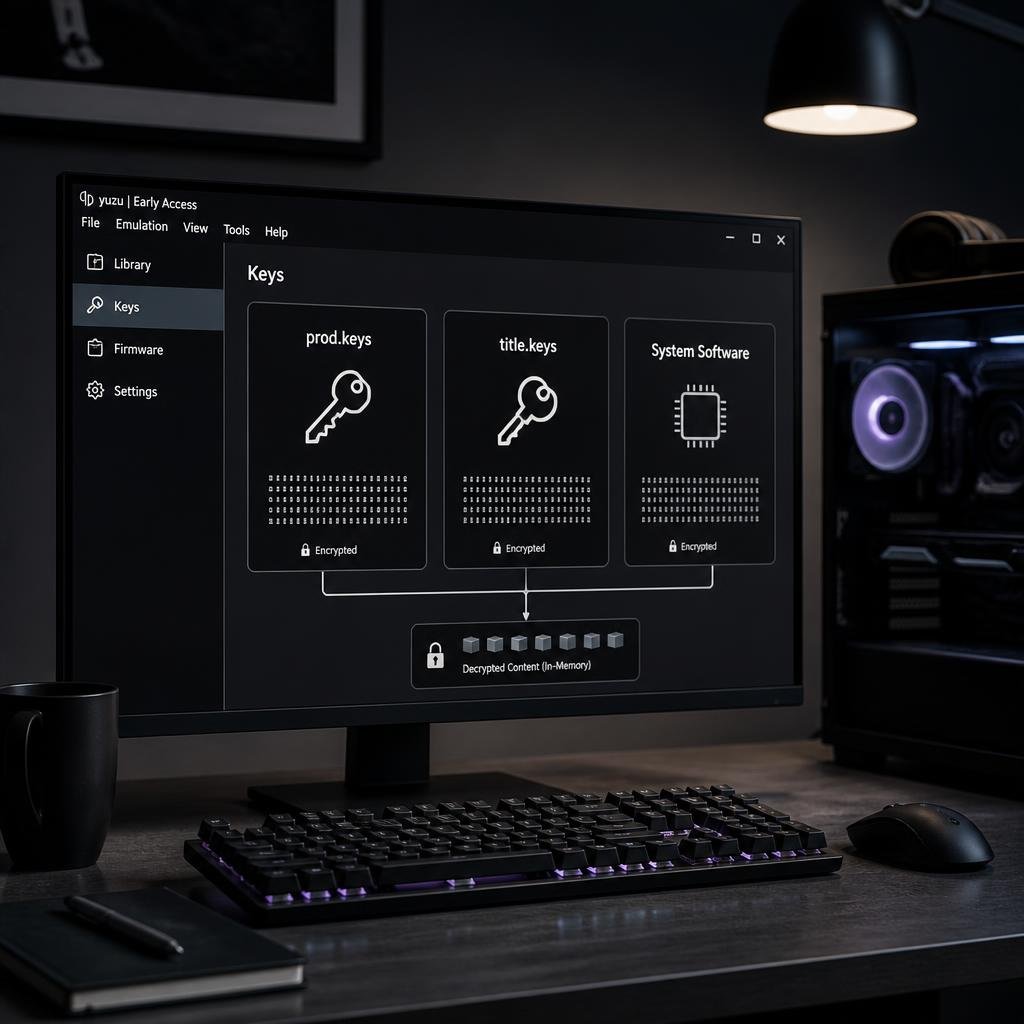
If you are maintaining an existing Yuzu installation and see an encryption-key error, the first thing to understand is that “Yuzu keys” does not refer to one single file.
Yuzu-related setups commonly use files such as prod.keys and title.keys, while firmware is a separate component with a different purpose. The exact files and paths can also vary depending on the platform and the way Yuzu was installed.
For example, technical documentation for Nintendo Switch file formats distinguishes the broader prod.keys keyset from title-specific key records stored in title.keys. EmuDeck’s Yuzu documentation also separates the keys directory from the firmware directory in its Steam Deck setup.
This distinction matters because many older Yuzu guides use “keys,” “prod keys,” “title keys,” and “firmware” almost interchangeably.
They are not the same thing.
In this guide, we’ll focus specifically on Yuzu keys: what prod.keys and title.keys mean, where existing Yuzu installations look for them, how Yuzu key errors happen, and what to check when a key file is not detected.
Important: This guide explains the technical role and troubleshooting of key files. It does not provide or distribute copyrighted Nintendo key material.
What Are Yuzu Keys?
Yuzu keys are cryptographic key data used by Yuzu to process encrypted Nintendo Switch content.
The phrase “Yuzu keys” generally refers to key files used by the emulator rather than a single universal file.
The two names you’ll most commonly encounter are:
prod.keystitle.keys
They have different roles.
A simplified view looks like this:
| Component | General purpose |
|---|---|
prod.keys | Broader Switch cryptographic keyset |
title.keys | Title-specific key records |
| Firmware | Switch system software components |
| Game/content files | Encrypted game or application data |
Technical documentation from NSTool describes prod.keys as a keyset used for processing encrypted Switch file formats, while title.keys is a separate format for storing title-key records.
So when someone says “my Yuzu keys aren’t working,” the first question should actually be:
Which key file or key-related function is failing?
That small distinction makes troubleshooting much easier.
What Is prod.keys in Yuzu?
prod.keys is the broader keyset associated with production Nintendo Switch cryptographic material.
It can contain different types of key information used when processing encrypted Switch formats. NSTool’s documentation, for example, describes prod.keys as a keyset supplied when processing encrypted Nintendo Switch files and lists multiple key categories that can be present in the file.
For Yuzu users, the practical takeaway is:
prod.keys is a cryptographic keyset. It is not firmware and it is not the same format as title.keys.
This is why simply renaming one type of file to another filename does not make it equivalent.
Why is prod.keys important?
When an emulator processes encrypted content, different cryptographic operations can require different pieces of key material.
If the required key information is unavailable, the emulator may:
- fail to decrypt content;
- report missing keys;
- fail to load a game;
- display an encryption-related error;
- or successfully recognize the game but fail later during processing.
The exact behavior depends on the content and the Yuzu build.
What Is title.keys in Yuzu?
title.keys is different from prod.keys.
NSTool documents title.keys as a format that stores title-key records, with a Rights ID associated with a title key. It is used for content that relies on external content keys.
You can think of the distinction like this:
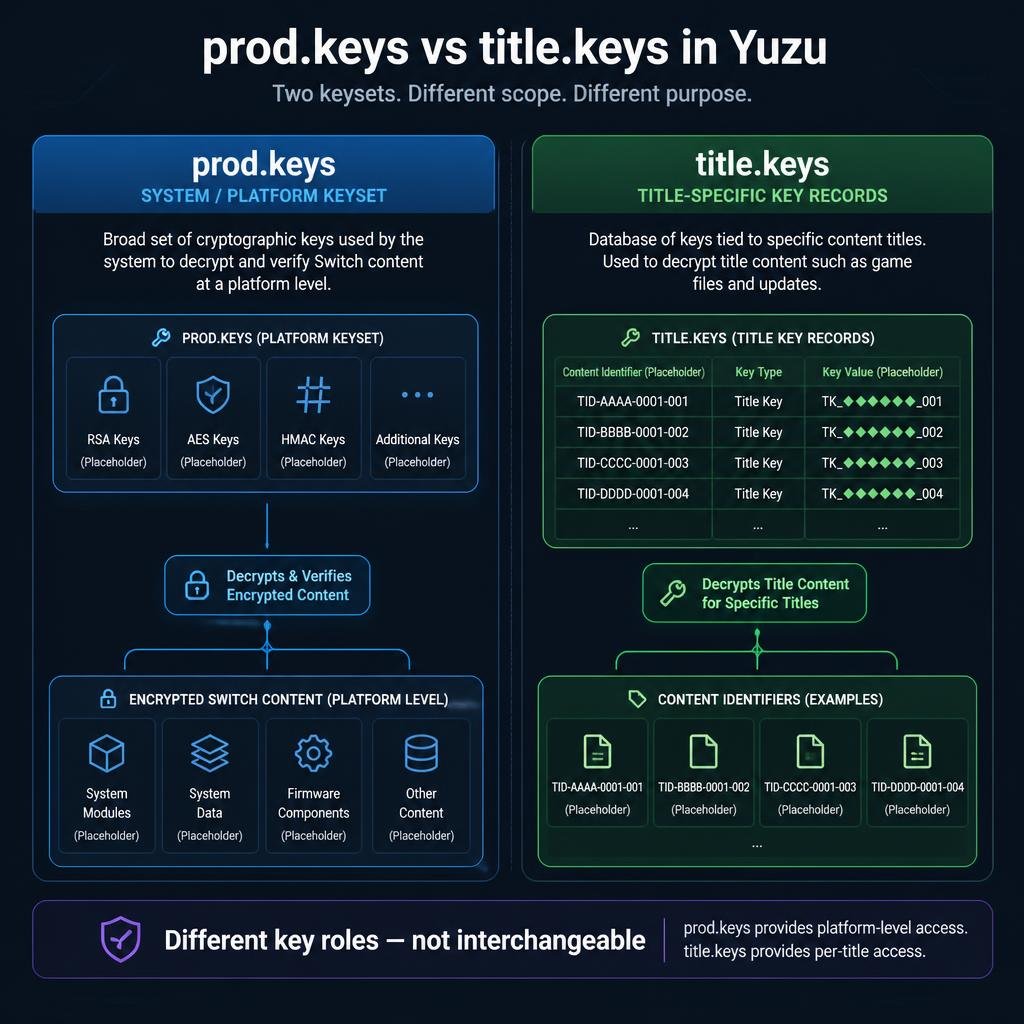
prod.keys → broader cryptographic keyset
title.keys → title-specific key records
That is why the two should not be treated as interchangeable.
prod.keys vs title.keys
| Feature | prod.keys | title.keys |
|---|---|---|
| Main role | General Switch keyset | Title-specific key records |
| Scope | Broader cryptographic material | Specific content/title keys |
| Same format? | No | No |
| Interchangeable? | No | No |
| Simply rename one to the other? | No | No |
The exact way an emulator or tool uses these files can depend on the implementation, but the underlying distinction between the two formats is important.
Do Yuzu Keys and Firmware Do the Same Thing?
No.
This is probably the most common source of confusion in older Yuzu guides.
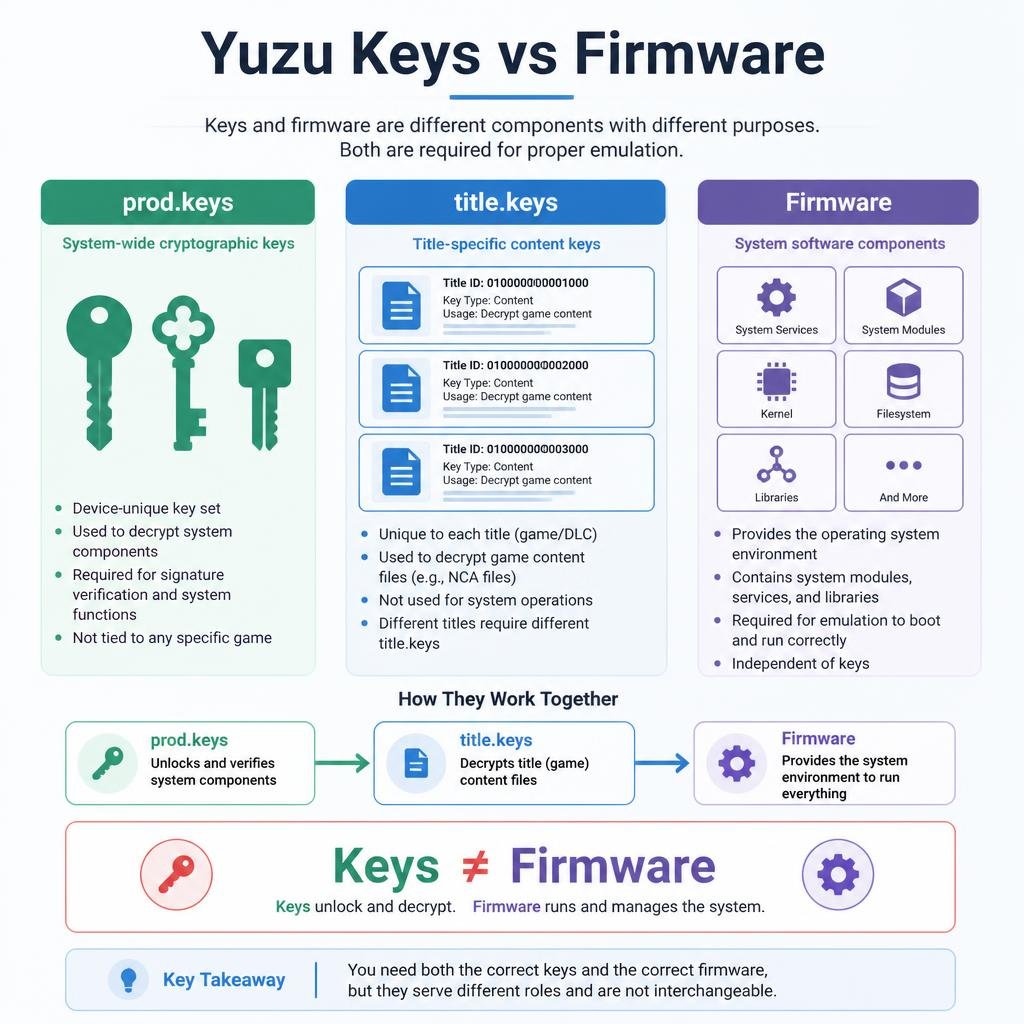
Keys and firmware solve different problems.
Keys
Keys provide cryptographic information required to process encrypted content.
Firmware
Firmware represents Nintendo Switch system software components used by the emulator.
A simple mental model is:
Keys → cryptographic operations
Firmware → system software environment
EmuDeck’s Yuzu documentation reflects this distinction by maintaining separate locations for Yuzu keys and firmware.
So if Yuzu reports a missing-key problem, adding firmware is not automatically a fix.
Likewise, if Yuzu reports a firmware-related issue, replacing prod.keys is not necessarily the answer.
Where Does Yuzu Store prod.keys?
The exact location depends on the operating system, Yuzu build, and installation method.
This is important because there is no single universal Yuzu keys path for every setup.
For historical Yuzu installations, the keys directory is part of the emulator’s user-data structure.
On Steam Deck with EmuDeck, the documentation lists:
Emulation/bios/yuzu/keys/
as the managed Yuzu keys location. It also identifies the underlying Yuzu key directory as:
/home/deck/.local/share/yuzu/keys
with the EmuDeck path acting as a symlink.
That means Steam Deck users should be careful about copying instructions from unrelated Windows tutorials.
Important for EmuDeck users
EmuDeck’s documentation specifically warns that the managed keys folder is a symlink and should not simply be overwritten.
So if your Yuzu installation is managed by EmuDeck, don’t assume that replacing the folder itself is equivalent to adding the required files.
Yuzu Keys Location on Steam Deck
For an EmuDeck-managed Yuzu setup, the documented structure is:
Emulation/bios/yuzu/keys/The underlying Yuzu location is:
/home/deck/.local/share/yuzu/keysEmuDeck documents Emulation/bios/yuzu/keys as a symlink to the underlying Yuzu directory.
Firmware is handled separately:
Emulation/bios/yuzu/firmware/The firmware directory is also linked to Yuzu’s internal storage location.
Why this matters
If Yuzu cannot see a key file on Steam Deck, check:
- Whether you are actually launching the Yuzu installation you think you are.
- Whether the EmuDeck
keyspath exists. - Whether the path is still configured as expected.
- Whether the key file is in the actual keys directory.
- Whether the filename and extension are correct.
Don’t immediately delete and recreate the directory.
Why Is Yuzu Not Detecting prod.keys?
If Yuzu doesn’t detect prod.keys, there are several possible causes.
1. Wrong directory
The file may exist, but Yuzu may be looking at another user-data directory.
This is especially possible if you have:
- multiple Yuzu installations;
- portable/standalone configurations;
- an EmuDeck setup;
- old and newer builds;
- or files migrated from another computer.
2. Wrong filename
Make sure the file is actually named:
prod.keysand not something like:
prod.keys.txtWindows can hide known file extensions, which makes this mistake surprisingly easy to miss.
3. Wrong key file
A file called prod.keys is not automatically a valid keyset.
The contents and format matter.
4. Different Yuzu installation
You may be placing the file into one Yuzu directory while launching another installation.
5. Compatibility problem
A keyset may not contain the key material required for the specific encrypted content being processed.
Why Does Yuzu Say “Encryption Keys Are Missing”?
A missing encryption-key message generally means the application cannot access key material it needs.
But “missing” does not necessarily mean the file literally does not exist.
Possible causes include:
- missing key file;
- wrong location;
- incorrect filename;
- incorrect extension;
- incomplete keyset;
- incompatible key generation;
- different Yuzu user directory;
- different emulator build;
- content requiring key material that isn’t available.
That’s why blindly replacing every file is usually a poor troubleshooting strategy.
Start with the exact error.
Then check the installation path.
Then check the filename.
Then investigate compatibility.
Why Does One Game Work but Another Doesn’t?
This is an important Yuzu troubleshooting scenario.
Suppose:
- Game A launches successfully.
- Game B reports an encryption or key error.
That does not automatically mean your entire key setup is broken.
Different Nintendo Switch content can use different encryption arrangements and content-key requirements.
NSTool’s technical documentation explains that NCA files contain encrypted headers and content, and that content keys can be handled internally or through external ticket/title-key mechanisms.
Therefore, a working title doesn’t necessarily prove that every other title can be processed with exactly the same key requirements.
If only one game fails, check the specific error before replacing the entire keyset.
Can title.keys Replace prod.keys in Yuzu?
No.
They represent different key information.
prod.keys is a broader keyset, while title.keys is a title-key record format. NSTool’s documentation explicitly treats them as separate keyset formats.
So this does not solve the problem:
title.keys
↓
rename
↓
prod.keys
Changing the filename doesn’t change the contents or key format.
If an application expects a particular keyset, the correct file and required key material still need to be present.
Does Yuzu Need Both prod.keys and title.keys?
The answer depends on the specific Yuzu setup, content and workflow.
Older Yuzu documentation and community setup guides commonly referenced both files, but that should not be turned into a blanket rule for every existing installation.
Technical tools can also support different key workflows.
For example, NSTool supports a general prod.keys keyset and separately supports a title.keys format for title-key records.
So rather than asking:
“Does every Yuzu setup always need both?”
A better question is:
“Which key material does this particular Yuzu build and content workflow require?”
That is more technically accurate and avoids outdated one-size-fits-all instructions.
Why Old Yuzu Key Guides Can Be Confusing
A lot of Yuzu documentation found online was written for older builds.
You may therefore see instructions referring to:
- a particular Yuzu release;
- a particular folder structure;
- an old firmware generation;
- a specific Steam Deck setup;
- an older EmuDeck configuration;
- or a particular key-file workflow.
Those instructions can still be useful for historical installations, but they should not automatically be treated as universal.
This is particularly important because Yuzu is a discontinued project, so there is no actively evolving official Yuzu setup path to keep older instructions synchronized with current operating systems and community configurations.
For an existing installation, the safest approach is to identify:
your Yuzu build + your platform + your installation method
before following a key-location guide.
Yuzu Keys on Windows vs Steam Deck
The biggest practical difference is usually the location of the emulator’s user data.
Windows
A conventional Windows installation may use a Yuzu user-data directory associated with the Windows user profile.
Steam Deck / EmuDeck
EmuDeck manages Yuzu through its own directory structure, with:
Emulation/bios/yuzu/keys/linked to:
/home/deck/.local/share/yuzu/keysaccording to its documentation.
Therefore:
Don’t copy a Windows Yuzu path into a Steam Deck tutorial—or vice versa.
The same filename can be correct while the location is completely different.
Common Yuzu Key Errors
Here are the most common situations and what to check first:
| Problem | First thing to check |
|---|---|
prod.keys not detected | Yuzu’s actual keys directory |
| Encryption keys missing | Key file + location |
| File exists but isn’t detected | Filename and extension |
| One game fails | Content-specific requirements |
| Firmware error after fixing keys | Firmware separately |
| Works on one PC but not another | User-data directory |
| Steam Deck can’t see keys | EmuDeck/Yuzu symlink structure |
title.keys doesn’t fix error | Whether prod.keys is actually required |
| Old tutorial doesn’t match | Yuzu build and installation method |
| Multiple Yuzu installations | Which executable is actually launching |
Yuzu Keys Troubleshooting Checklist
Before replacing anything, work through this checklist.
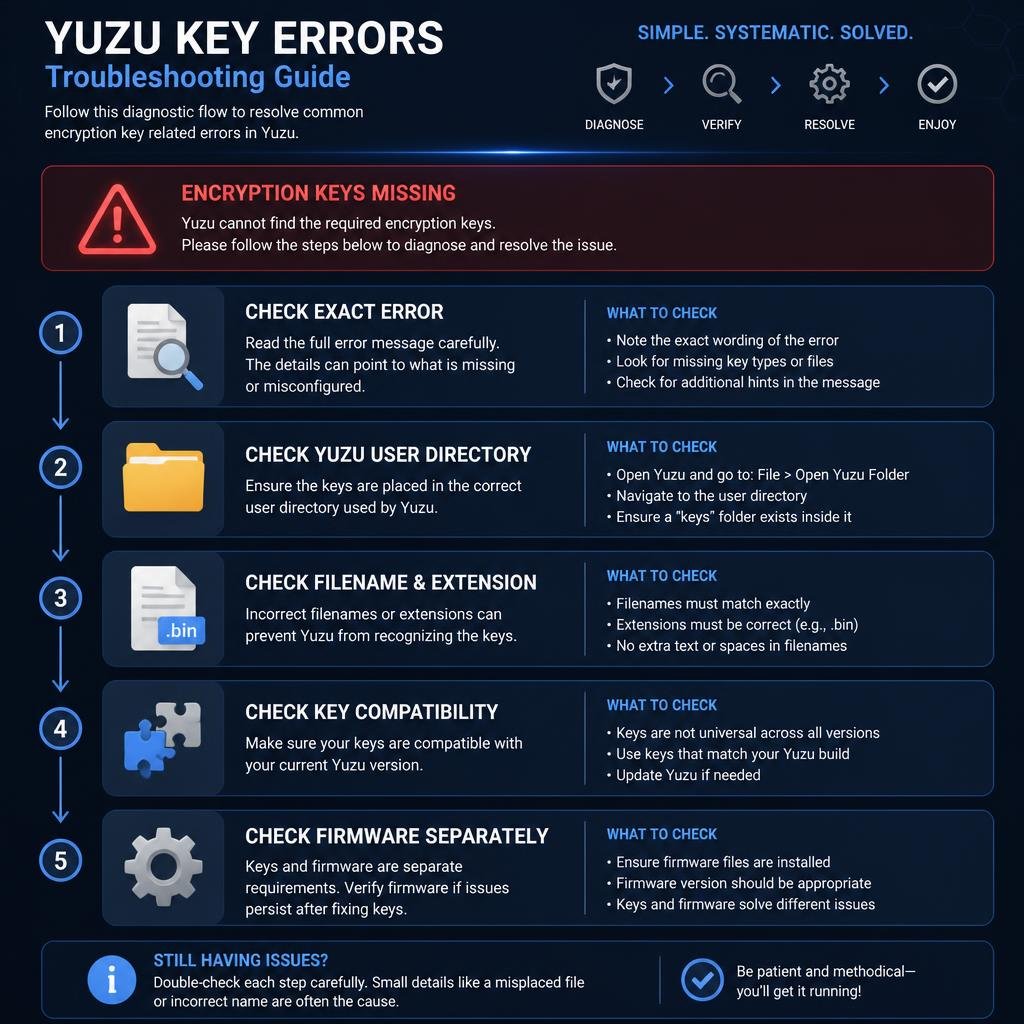
Step 1: Read the exact error
Don’t rely on “keys aren’t working.”
The exact error can tell you whether you’re dealing with:
- missing keys;
- firmware;
- content;
- compatibility;
- or another issue.
Step 2: Confirm the Yuzu build
If you have multiple installations, make sure you’re checking the data directory belonging to the Yuzu executable you actually launch.
Step 3: Check the keys directory
Verify that the expected keys directory exists.
Step 4: Check the filename
Make sure extensions aren’t hidden and the filename hasn’t accidentally become:
prod.keys.txt
Step 5: Don’t rename key types
title.keys is not a replacement for prod.keys.
Step 6: Check firmware separately
Don’t mix a key problem and a firmware problem into one troubleshooting step.
Step 7: Test the affected content again
If only one title is affected, investigate that title instead of immediately replacing everything.
Step 8: Change one variable at a time
If you replace the emulator, keys, firmware and content simultaneously, you won’t know which change affected the result.
Yuzu Keys and Firmware: A Simple Example
Imagine Yuzu reports a missing key.
You add the appropriate key file to the correct location.
The key error disappears.
Then the emulator reports a firmware-related problem.
That doesn’t mean the key file was wrong.
It means you have moved from one setup layer to another.
Think of the troubleshooting chain as:
Yuzu installation
       ↓
Key detection
       ↓
Encrypted content processing
       ↓
Firmware/system environment
       ↓
Game compatibility
Each layer can fail independently.
This is why separating keys, firmware, and content makes troubleshooting much easier.
Are “Latest Yuzu Keys” Really a Useful Search Term?
You’ll often see phrases such as:
- latest Yuzu keys;
- Yuzu keys latest version;
- Yuzu prod keys;
- Yuzu keys and firmware;
- Yuzu keys download.
The problem is that “latest” can be ambiguous.
It might refer to:
- a key generation;
- firmware;
- a Yuzu build;
- a community-maintained setup;
- or simply the date of the article.
A better technical approach is to identify the actual requirement behind the error rather than assuming that the newest-numbered file is automatically the solution.
This also makes an explanatory article more useful over time than a page tied to one specific key-generation number.
Yuzu Keys and Steam Deck / EmuDeck
Steam Deck users deserve special attention because the directory structure can be different from a traditional desktop installation.
EmuDeck documents:
Emulation/bios/yuzu/keys/for Yuzu keys and:
Emulation/bios/yuzu/firmware/for firmware. It also notes that these locations use links to Yuzu’s underlying data/storage locations.
The important takeaway isn’t just the path.
It’s the relationship between the paths.
If you overwrite a managed symlink directory rather than placing the required files into the expected structure, you can create a new problem while trying to solve the original one.
If you are comparing this legacy Yuzu setup with another Switch emulator, see our Eden prod.keys and firmware setup guide for a separate emulator-specific example.
Should You Download Yuzu Keys From Random Websites?
TechPlayGuide does not recommend third-party key-download sites.
Nintendo Switch cryptographic key material is sensitive and should not be redistributed through random download pages.
If you’re maintaining an existing Yuzu installation for content you are legally entitled to use, keep your key material private and use an appropriate source/process for your own setup.
For technical reference, NSTool provides documentation about Switch keysets and encrypted file formats without requiring users to download key material from a third-party distribution page.
Yuzu Keys vs Nintendo Switch Keys
This distinction is important for understanding the TechPlayGuide article cluster.
The broader Nintendo Switch Keys guide explains the overall concept of Switch keysets.
This article is different.
If you are comparing Yuzu with another Switch emulator, our Ryujinx prod.keys and firmware setup guide covers the corresponding key and firmware setup in Ryujinx.
Yuzu Keys focuses on:
- Yuzu-specific key terminology;
- Yuzu key locations;
- Yuzu/EmuDeck directory differences;
- Yuzu-specific detection problems;
prod.keysandtitle.keysin the Yuzu context;- firmware separation;
- legacy Yuzu setup problems.
If you want the broader technical explanation of Switch keys, see:
[Nintendo Switch Keys Explained]
And if you specifically want to understand title.keys in greater depth:
[Title Keys (title.keys) Explained]
This keeps the articles complementary rather than making every page repeat the same introduction.
Yuzu Keys: Frequently Asked Questions
What are Yuzu keys?
Yuzu keys are cryptographic key data used to process encrypted Nintendo Switch content in Yuzu. Commonly referenced files include prod.keys and title.keys.
What is prod.keys used for in Yuzu?
prod.keys is a broader Switch cryptographic keyset used when processing encrypted Switch formats. NSTool documents multiple key categories that can be stored in this keyset.
What is title.keys?
title.keys is a separate format for storing title-specific key records. NSTool describes it using Rights ID and title-key pairs.
Can I rename title.keys to prod.keys?
No. Renaming the file does not convert one key format into another.
Where is the Yuzu keys folder?
The exact path depends on the platform and installation. For an EmuDeck-managed Steam Deck setup, the documented path is Emulation/bios/yuzu/keys/, which links to Yuzu’s underlying key directory.
Where does Yuzu store firmware?
Firmware is stored separately from the keys. In the EmuDeck Steam Deck structure, the documented firmware path is Emulation/bios/yuzu/firmware/.
Why does Yuzu say encryption keys are missing?
Common causes include an incorrect key location, wrong filename or extension, incomplete key material, incompatible key generation, or Yuzu using a different user-data directory.
Why does one game work but another doesn’t?
Different encrypted content can involve different key and compatibility requirements. A working title does not automatically prove that every title has identical requirements.
Do Yuzu keys and firmware do the same thing?
No. Keys are cryptographic data, while firmware provides system software components used by the emulator.
Does every Yuzu setup require the same key files?
Not necessarily. Requirements can depend on the Yuzu build, content and workflow.
Are Yuzu key paths the same on Windows and Steam Deck?
No. Installation and platform differences can result in different user-data locations.
Is Yuzu still actively developed?
No. Yuzu is a discontinued project, so users maintaining existing installations should be careful with older documentation and verify that instructions match their particular setup.
Final Thoughts
Yuzu keys are easier to troubleshoot once prod.keys, title.keys, and firmware are treated as separate components.
prod.keys is a broader cryptographic keyset, while title.keys is a separate title-key record format. Firmware is different again and should be diagnosed separately from key errors.
For existing Yuzu installations, the most important troubleshooting steps are straightforward:
Check the exact error → verify the Yuzu build → check the correct keys directory → verify the filename → separate keys from firmware → investigate content-specific issues.
Steam Deck and EmuDeck users should pay particular attention to the managed Yuzu directory structure because the keys and firmware locations are handled separately through EmuDeck’s configuration.
Most importantly, don’t assume that every Yuzu guide published online describes the same setup. Yuzu is a legacy/discontinued emulator project, and older instructions can vary significantly by build and platform.