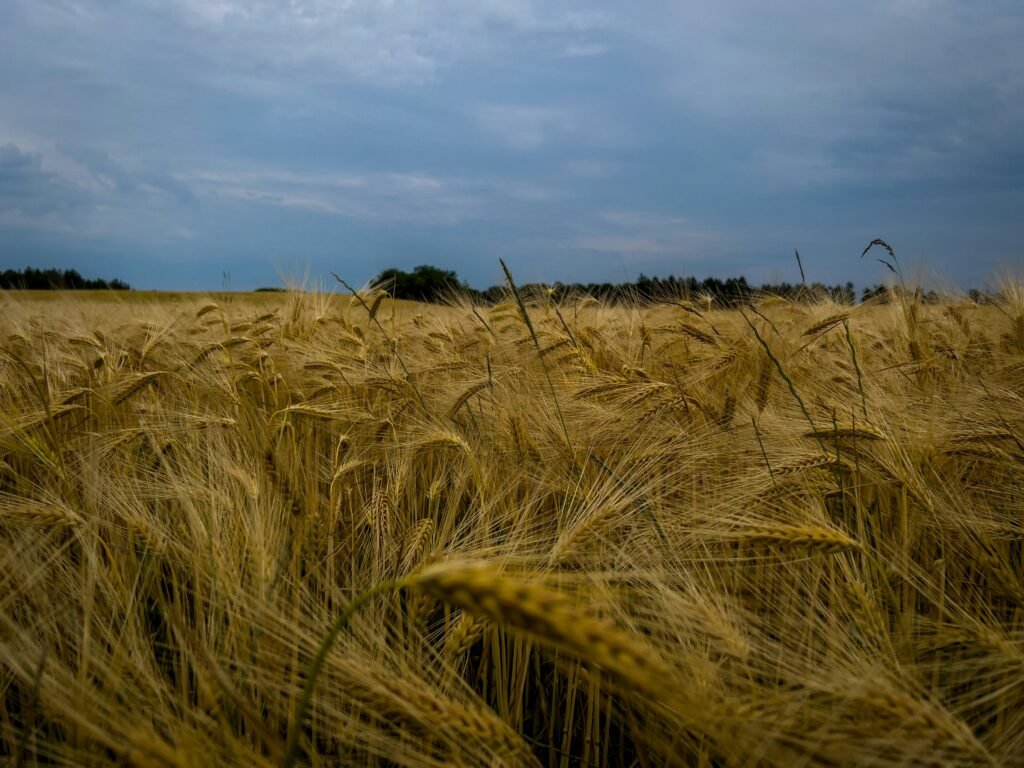
Grainy photos are one of the most common frustrations in digital photography — that visible noise pattern that makes your images look rough, speckled, or unclear instead of sharp and clean. Whether your iPhone photos look grainy, your MacBook camera produces noisy video, or your DSLR shots come out full of digital noise, graininess has specific, understandable causes with clear solutions. This guide explains exactly what graininess in photos is, what causes it, why your iPhone or Mac camera produces grainy images, and when graininess is actually desirable as a creative choice.
For how to fix grainy photos in Photoshop, Lightroom, and on iPhone, plus how to intentionally add film grain, see our article on how to fix photos grainy — Photoshop, Lightroom, iPhone, and film grain guide.
What Is Graininess in Photos?
Graininess in photos — also called digital noise — is a random variation in brightness and color that appears across an image, creating a speckled or textured appearance instead of smooth tones. It looks similar to the grain found in traditional film photography (which comes from silver halide crystals), but in digital photography it arises from a completely different source: electronic signal noise in the camera sensor.
| Type of Noise | Description |
| Luminance noise | Random variation in brightness — makes photos look grainy/sandy; most common |
| Chroma (color) noise | Random color speckles — often appears as colored dots (red, green, blue) in shadows |
| Fixed pattern noise | Repeating pattern from hot pixels — more common in long exposures |
| Banding noise | Horizontal or vertical stripes — often a sensor or firmware defect |
Graininess vs Pixelation — What Is the Difference?
Graininess and pixelation are two different image quality problems that are frequently confused. Graininess is random noise across the image — it appears as a fine texture of speckles and does not follow the image structure. Pixelation is when individual pixels become visible because an image has been enlarged beyond its resolution — it appears as large blocky squares. A grainy photo can be sharp and well-focused; a pixelated photo has lost resolution detail. Both can result in ‘bad photo quality’ but require completely different fixes.
What Causes Graininess in Photos? — The Main Causes
1. High ISO Setting
ISO is the most common cause of grainy photos. ISO measures your camera sensor’s sensitivity to light — higher ISO means more amplification of the signal, which amplifies noise alongside the actual image data. ISO 100-400 produces clean images; ISO 1600-3200 produces noticeable noise; ISO 6400+ produces significant grain in most cameras.
| ISO Range | Noise Level | Best Used When |
| ISO 100-400 | Minimal — clean images | Bright daylight, studio with flash |
| ISO 800-1600 | Moderate — slightly visible | Indoor available light, overcast outdoors |
| ISO 3200-6400 | Noticeable — visible grain | Low light without flash |
| ISO 12800+ | Heavy grain | Very dark scenes; action in low light |
2. Low Light Conditions
Low light forces the camera to raise ISO, widen aperture, or slow shutter speed to capture enough light. When there is not enough light for a clean exposure, the camera’s sensor amplifies what little signal it receives — which also amplifies noise. This is why photos taken indoors without flash, at night, or in dimly lit rooms are frequently grainy even on expensive cameras and smartphones.
3. Small Sensor Size
Sensor size has an enormous impact on noise performance. Larger sensors capture more light per pixel, which means they need less amplification (lower ISO) to achieve a proper exposure in the same lighting conditions. This is why:
- Full-frame cameras (like Sony A7 series, Nikon Z6) produce far less noise than crop-sensor cameras at the same ISO
- APS-C cameras produce less noise than Micro Four Thirds cameras
- Smartphone cameras — with very small sensors — produce more noise than any dedicated camera at equivalent ISO
- Webcams and laptop cameras have tiny sensors, making them the worst performers in any challenging light
4. Long Exposure Times
Long exposure photography (shutter speeds slower than about 1 second) can produce thermal noise — heat generated by the sensor itself during the long exposure introduces random noise patterns. This is why dedicated astrophotography cameras have cooling systems, and why your night sky photos taken with a standard camera may look grainy even at moderate ISO settings.
5. Heavy Image Compression
JPEG compression can introduce artifacts that resemble graininess, particularly in smooth areas like clear skies, skin tones, and solid backgrounds. When a JPEG is compressed heavily (low quality settings) or re-saved multiple times, compression artifacts become visible as blocky noise patterns. Shooting in RAW format avoids compression artifacts entirely.
Why Are My iPhone Photos Grainy?
iPhone cameras produce grainy photos primarily because of their small sensor size combined with computational photography’s limits in very low light. Here are the specific reasons your iPhone photos look grainy:
| Cause | Explanation |
| Low light + small sensor | iPhone sensors are small — they need to raise ISO significantly in dim conditions |
| Night Mode limits | Night Mode helps significantly but has limits — very dark scenes still produce grain |
| Smart HDR over-processing | Aggressive HDR processing can introduce noise-like artifacts in some scenes |
| Zoom (digital zoom) | Digital zoom crops the sensor, reducing effective resolution and amplifying noise |
| Dirty lens | A smudged lens reduces light transmission, forcing higher ISO |
| Old/aging sensor | Older iPhone models have less efficient sensors than current generation |
Why Do My iPhone Photos Look Grainy — Quick Fixes
- Move to a brighter area: The single most effective change — more light means lower ISO and cleaner photos
- Avoid digital zoom: Pinch-to-zoom uses digital zoom on the main camera; step physically closer instead
- Clean your camera lens: Wipe with a microfiber cloth — a dirty lens dramatically reduces light and image quality
- Use Night Mode: On compatible iPhones, Night Mode activates automatically in low light — keep the phone still for the full exposure duration
- Lock exposure: Tap and hold on your subject until ‘AE/AF Lock’ appears — this prevents the camera from incorrectly exposing
- Shoot in ProRAW (iPhone 12 Pro and later): ProRAW gives you more data to work with in post-processing and avoids JPEG compression artifacts
Why Do My iPhone Pics Look Grainy on Snapchat?
Snapchat specifically processes camera images differently from the native iPhone Camera app — it compresses images for sending and applies its own processing pipeline, which can introduce additional noise and reduce quality beyond what the iPhone camera itself produces. Snapchat also accesses the camera differently, sometimes bypassing Apple’s computational photography stack. Additionally, Snapchat compresses sent images significantly. For the best Snapchat photo quality: take the photo in the native iPhone Camera app first, then import it into Snapchat using the camera roll import feature rather than taking the photo directly in-app.
Why Is My Mac/MacBook Camera So Grainy?
The built-in camera in MacBooks and iMacs — the FaceTime camera — is one of the weakest cameras in Apple’s product lineup. It is a small, fixed-focus webcam designed primarily for video calls rather than photography. There are several reasons it produces grainy images:
- Very small sensor: The MacBook FaceTime camera sensor is tiny even by smartphone standards, giving it poor low-light performance
- Fixed aperture: The lens aperture cannot be adjusted to let in more light in dim conditions
- Poor low-light processing: MacBook cameras rely on raising ISO rather than computational photography to handle low light
- Compression for video calls: FaceTime and video call apps apply heavy compression that degrades image quality further
How to Improve MacBook Camera Quality
- Improve your lighting: Face a window or use a dedicated desk lamp — the camera’s quality improves dramatically with better light
- Use a USB webcam: Logitech C920 or C270 cameras (external USB webcams) significantly outperform the built-in MacBook camera for video calls
- Use iPhone as webcam (Continuity Camera): On macOS Ventura and later, your iPhone can function as a high-quality Mac webcam via Continuity Camera — far superior to the built-in FaceTime camera
- App-specific quality settings: In Zoom, Teams, or other apps, check video quality settings — some apps limit resolution or apply additional compression
Why Is My Snap Camera Grainy?
Snap Camera (Snapchat’s desktop webcam app for filters on video calls) inherits the limitations of your computer’s webcam — whatever camera input it receives, it processes and potentially degrades further with filter effects. If your computer’s built-in camera is already grainy (as MacBook cameras often are), Snap Camera will appear grainier still. Fix: use an external USB webcam as your Snap Camera input source instead of the built-in camera.
Why Is My Camera Quality Bad — Beyond Graininess
Bad photo quality can stem from causes beyond graininess:
| Quality Issue | Likely Cause |
| Blurry/soft images | Camera shake (use a tripod) or subject motion blur (faster shutter speed needed) |
| Grainy/noisy | High ISO; low light; small sensor — see above |
| Washed out colors | Overexposure or wrong white balance |
| Dark with no detail | Underexposure — increase ISO, widen aperture, or slow shutter |
| Distorted colors | Wrong white balance setting — set to Auto or match lighting type |
| Loss of fine detail | Heavy JPEG compression or shooting at low resolution |
| Hazy/low contrast | Dirty lens, lens flare, or atmospheric haze |
What Causes Graininess on the Sun?
Graininess on the sun — as seen in solar photography or astronomical imaging — is not digital noise but a real physical phenomenon called solar granulation. The sun’s visible surface (photosphere) has a granular appearance caused by convection cells: columns of hot plasma rise from the interior, cool at the surface, then descend again. Each granule is approximately 1,000 kilometers in diameter and lasts 8-20 minutes before being replaced. The bright centers of granules are the rising hot plasma; the darker edges are the cooler descending plasma. This granulation gives the sun a textured, grainy appearance in high-resolution solar images. It is not related to camera noise — it is a real structural feature of the sun.
Grainy Photography as an Aesthetic — Gritty Photos and Film Grain
Not all grain is unwanted. Film grain — the physical texture inherent in analog film photography — is considered by many photographers to be aesthetically desirable, adding warmth, texture, and an organic quality that digital images lack. Gritty photos and gritty pictures deliberately use high contrast, strong shadows, and visible grain to create a raw, documentary, or noir aesthetic. Street photography, photojournalism, and portrait photography often embrace grain intentionally.
The difference between unwanted digital noise (which looks harsh and randomly colored) and attractive film grain (which has a more organic, luminance-based pattern) is significant. Modern cameras and editing software can simulate film grain convincingly, allowing digital photographers to add the aesthetic quality of grain without the technical drawbacks of shooting at high ISO.
To learn how to remove graininess from photos in Photoshop and Lightroom, fix grainy iPhone photos, and intentionally add film grain, see our article on how to fix grainy photos — Photoshop, Lightroom, iPhone, and film grain guide.
For more on digital noise and camera sensor technology, see DPReview — digital photography reviews and camera guides. For iPhone camera settings and tips, see Apple Support — iPhone Camera guide.
For beginner camera buying guides including starter cameras and DSLRs for photography beginners, see our article on starter cameras for photography beginners — DSLR, mirrorless, and beginner camera guide.
How to Prevent Grainy Photos — Shooting Techniques to Avoid Noise
Prevention is always more effective than post-processing noise reduction. Here are the key shooting techniques to minimize graininess before you press the shutter. Use the lowest ISO your lighting allows — check your camera’s ISO setting before shooting and set it manually if needed (ISO 100-400 for daylight, ISO 800-1600 for indoor, ISO 3200 only when necessary). Shoot in RAW format rather than JPEG — RAW files contain significantly more data than JPEGs, giving noise reduction software more to work with. Use a wider aperture (lower f-number) in low light — f/1.8 or f/2.8 lets in much more light than f/8, allowing a lower ISO at the same shutter speed. Use a tripod for slow shutter speeds — instead of raising ISO, you can use a 1/30s or slower shutter speed on a stable surface, keeping ISO low. Use flash or supplemental lighting — even a small LED panel or ring light dramatically reduces how high your camera needs to push ISO in indoor settings. On iPhone, tap the sunburst icon in the Camera app and manually drag exposure up before shooting — this ensures the camera doesn’t underexpose and then try to recover detail (which amplifies noise). In dark environments, check if your camera has a dedicated Night Mode or low-light mode — these use multi-frame stacking to reduce noise without raising ISO as high.
Bottom Line
| Main cause of grainy photos | High ISO in low light — sensor amplifies signal and noise together |
| Why iPhone photos are grainy | Small sensor + low light = high ISO; digital zoom; dirty lens |
| Why Mac camera is grainy | Very small fixed sensor; poor low-light processing; no computational photography |
| Fix iPhone grain fast | Move to brighter light; avoid digital zoom; clean lens; use Night Mode |
| Fix Mac camera grain | Better lighting; use iPhone as webcam via Continuity Camera; external USB webcam |
| Why Snapchat is grainy | Snapchat applies its own compression on top of the camera’s output |
| Graininess on the sun | Real phenomenon — solar granulation from convection cells, not camera noise |
| Gritty photo aesthetic | Intentional grain use in street/documentary photography — film grain aesthetic |
Frequently Asked Questions
What causes graininess in photos?
Graininess in photos is caused primarily by high ISO settings — when the camera amplifies its sensor signal to compensate for low light, it amplifies noise alongside the image data, creating visible grain. Other causes include small sensor size (smartphones and webcams have the smallest sensors and most noise), long exposures in dark conditions (thermal noise), and heavy JPEG compression (which creates compression artifacts resembling grain). The most effective way to reduce graininess is to shoot in better light so the camera can use a lower ISO setting.
Why are my iPhone photos grainy?
iPhone photos look grainy primarily because of low light conditions combined with the iPhone’s small sensor. When light is insufficient, the iPhone raises its ISO sensitivity to capture a proper exposure — the higher the ISO, the more noise (grain) appears. Additional factors include digital zoom (which crops the sensor and amplifies noise), a dirty or smudged camera lens (which reduces light transmission), and very challenging scenes that exceed Night Mode’s capabilities. Moving to a brighter environment is the single most effective fix for grainy iPhone photos.
Why is my MacBook camera so grainy?
The MacBook’s built-in FaceTime camera produces grainy images because it has a very small sensor that performs poorly in anything less than bright lighting. Unlike iPhone cameras (which benefit from Apple’s computational photography and multiple lenses), the MacBook FaceTime camera is a basic fixed-focus webcam with limited hardware and software capabilities. The best solutions: face a window or bright light source to improve exposure quality; use Continuity Camera (macOS Ventura+) to use your iPhone as a Mac webcam for dramatically better quality; or connect an external USB webcam like the Logitech C920.
Is graininess in photos the same as film grain?
Digital noise (graininess in digital photos) and film grain are similar in appearance but come from completely different sources. Digital noise is electronic — it comes from the camera sensor amplifying its signal in low light. Film grain is physical — it comes from the size and distribution of silver halide crystals in analog film emulsion. Film grain tends to have a more organic, luminance-based pattern that many photographers find aesthetically pleasing (hence the gritty photo aesthetic in street and documentary photography). Digital noise is often harsher and includes chroma (color) noise that looks less natural. Modern photo editing software can simulate the look of film grain on digital images.