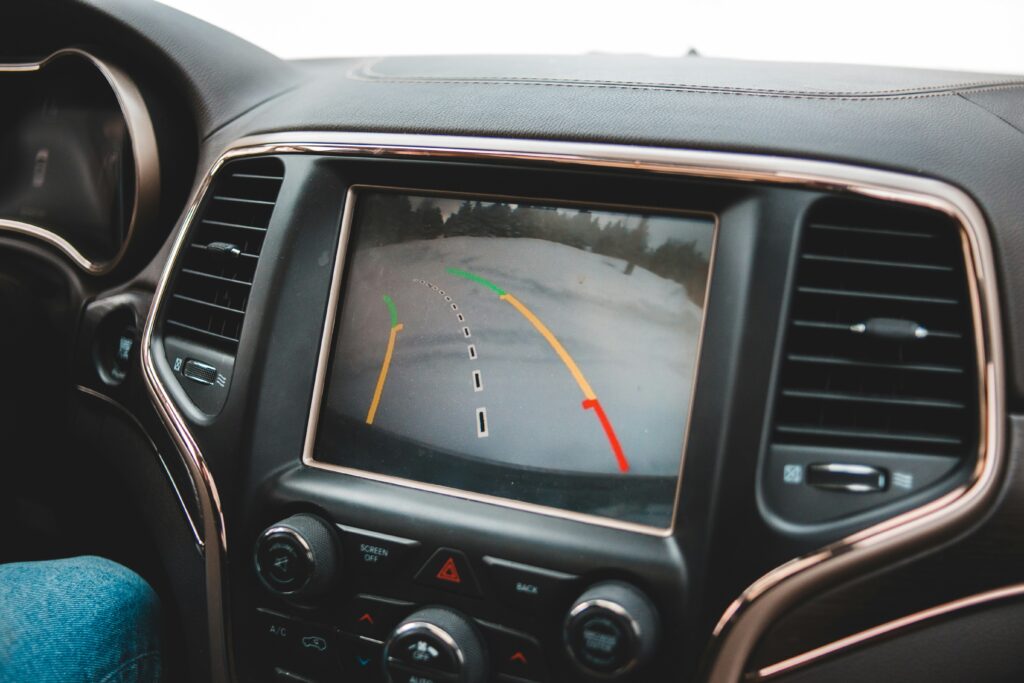
License plate backup cameras mount directly to your vehicle’s rear license plate area, providing a clean OEM-style rearview image with minimal modification to your car. They are the simplest category of backup camera to install, the most discreet in appearance, and the most practical option for drivers who want a reliable rearview system without professional installation. This guide covers the top picks for 2026, the wired vs wireless decision, what to look for in terms of specs, and how to install one yourself.
Why License Plate Backup Cameras?
Since May 1, 2018, all new light vehicles manufactured for sale in the United States (with a Gross Vehicle Weight Rating of 10,000 lbs or less) have been required by federal law to include a compliant rear visibility system. If your vehicle predates that requirement, or if your factory camera has failed, a license plate backup camera is one of the most straightforward aftermarket solutions available.
The license plate position is ideal for a backup camera because:
- It is centered on the vehicle, giving a symmetrical rearview without favoring one side
- It is at an appropriate height to see obstacles, curbs, and smaller objects behind the car
- Mounting to the plate frame requires no drilling into the bumper or tailgate
- The reverse light wiring is typically accessible nearby, making power connection straightforward
The average license plate backup camera costs around $44, making this one of the more affordable safety upgrades available for any vehicle.
The Best License Plate Backup Cameras of 2026
1. eRapta ERT01 — Best Overall Wired Camera
The eRapta ERT01 is consistently the most recommended wired license plate backup camera across independent reviews. Its defining advantage is its 149° viewing angle — most competitors offer 170° which produces a pronounced fisheye distortion at the edges. The 149° field gives a more natural, undistorted image that is easier to judge distances from, particularly when parking near curbs or objects.
| Spec | eRapta ERT01 |
| Resolution | HD (720p equivalent) |
| Viewing angle | 149° (natural, low distortion) |
| Waterproof rating | IP69K (highest level) |
| Video output | RCA composite |
| Night vision | Yes — IR LEDs |
| Compatibility | Universal — cars, trucks, SUVs, minivans, sedans |
| Approximate price | ~$25–$35 |
The IP69K rating means the camera can withstand high-pressure, high-temperature water jets — essential for a part that sits at bumper level through car washes and winter road salt. The RCA output means it connects directly to most aftermarket head units and mirror monitors without any adapter. Best for: drivers who want a proven, clean, no-fuss wired camera at a low price.
2. eRapta ERT11 — Best Wired Camera for OEM Look
The ERT11 is the updated model in the eRapta lineup, stepping up to a true 720p sensor while maintaining the IP69K waterproof rating and multiple bracket options (above plate or behind frame). If you are pairing to a newer aftermarket stereo and want the cleanest possible OEM-style integration, the ERT11 is the cleaner choice over the ERT01. Wiring is the same: a single RCA cable to the display and a power wire tapped to the reverse light. Compatibility note: if your monitor only accepts HDMI, you will need an RCA-to-HDMI converter.
3. Pixelman AHD 1080P — Best Image Quality
The Pixelman is the step up for drivers who want noticeably sharper image quality — particularly useful for larger vehicles, towing, or tight urban parking where detail matters. The AHD (Analog High Definition) 1080P sensor delivers significantly more clarity than standard RCA cameras, allowing you to read parking space numbers, identify curbs at low light, and judge distances more accurately.
| Spec | Pixelman AHD 1080P |
| Resolution | AHD 1080P |
| Housing | Metal (not plastic) |
| Waterproof rating | IP69 |
| Viewing angle | 170° |
| Video output | AHD — requires AHD-compatible display |
| Warranty | 36-month replacement + 30-day refund |
| Approximate price | ~$35–$50 |
Important compatibility note: AHD cameras require an AHD-capable display or head unit. Standard RCA composite monitors will not accept an AHD signal. Verify your display supports AHD before purchasing. The metal housing resists thermal expansion and contraction more effectively than plastic, and the nano sealant infusion prevents moisture ingress through seams. Best for: larger vehicles, those upgrading to an AHD-compatible head unit, or anyone who wants maximum image clarity.
4. AUTO-VOX Solar Wireless — Best Wireless Camera
The AUTO-VOX Solar Wireless is the standout wireless option — its solar charging system addresses the main weakness of battery-powered wireless cameras by keeping the internal 5,000mAh battery topped off through normal daily driving. Installation takes approximately 2 minutes: mount the camera, position the 5-inch 1080P monitor, and the camera and monitor pair wirelessly.
| Spec | AUTO-VOX Solar Wireless |
| Display | 5-inch 1080P monitor (included) |
| Power | 5,000mAh battery + solar charging; USB quick-charge backup |
| Wireless range | 52 feet |
| Installation time | ~2 minutes |
| Cable required | No long video cable; power wiring not required at camera |
| Approximate price | ~$80–$120 |
The solar charging means no battery anxiety for daily drivers — in typical use, 30 minutes of sunlight per day keeps the system charged. If the vehicle is stored indoors or sees limited sun, USB quick-charge tops it off. The wireless range of 52 feet covers any standard passenger vehicle, SUV, or light truck. Best for: drivers who want the simplest possible installation with no wiring under the vehicle.
5. GLK Backup Camera — Best for Parking Line Control
Most backup cameras either always show parking guidelines or never show them — the GLK model has a rare toggleable guide feature that lets you switch parking lines on or off from the mount. This matters when pairing with a head unit that generates its own dynamic parking lines; having the camera’s static lines visible simultaneously creates a cluttered display. The GLK also uses 6 white LEDs rather than IR LEDs, providing gentle visible lighting near the bumper line rather than night vision.
- 170° wide angle view
- Toggleable parking guidelines — on/off switch
- 6 white LEDs for bumper illumination
- IP-rated weatherproofing
- Physically adjustable lens aim
Best for: drivers pairing with a head unit that already generates dynamic parking guides, or those who want bumper-level lighting as well as a rearview image.
6. YIMU K4302 — Best Budget-Friendly Option
The YIMU K4302 is the easiest entry point for first-time backup camera installers. It features a plug-and-play design that connects to the cigarette lighter or USB port for power — no reverse light wiring required, though wiring to the reverse light for automatic activation on shift-to-reverse is also supported. Installation typically takes under 10 minutes.
- 150° wide angle with less distortion than 170° models
- Night vision included
- IP69K waterproof
- Dual bracket for flexible mounting
- Plug-and-play power or hard-wired — both supported
- Approximate price: ~$20–$30
Best for: budget-conscious buyers and first-time installers who want maximum simplicity.
License Plate Backup Cameras: At a Glance Comparison
| Camera | Type | Resolution | Angle | IP Rating | Best For |
| eRapta ERT01 | Wired | HD | 149° | IP69K | Overall best, natural view |
| eRapta ERT11 | Wired | 720p | 149° | IP69K | OEM-style clean look |
| Pixelman AHD | Wired | AHD 1080P | 170° | IP69 | Max image clarity |
| AUTO-VOX Solar | Wireless | 1080P | Wide | Standard | Zero-wire install |
| GLK | Wired | HD | 170° | IP-rated | Toggleable guidelines |
| YIMU K4302 | Wired/plug-in | HD | 150° | IP69K | Best budget pick |
Wired vs Wireless License Plate Backup Camera
The choice between wired and wireless is the most important decision in this category. Here is the honest comparison:
| Wired | Wireless | |
| Image quality | Better — direct connection handles more data at higher speed | Good — signal compression reduces quality; better kits minimize this |
| Installation | More involved — video cable must run from rear to display | Simpler — only power wiring at camera, no long cable |
| Reliability | Excellent — no interference, no battery | Good — interference possible from 2.4GHz congestion; battery models need charging |
| Latency | None | Small delay (typically 20–100ms on good kits) |
| Best for | Daily drivers, permanent installs, image quality priority | Renters, temporary installs, minimal-modification priority |
For most permanent vehicle installations, wired is the recommended approach — it is more reliable, produces a cleaner image, and does not require battery management. Wireless makes sense when cable routing through the vehicle is impractical (some SUVs and trucks with complex hatch designs), or when the vehicle is a lease and you want a fully removable system.
Mounting Types: Above Plate vs Frame Mount vs Bracket
Above-Plate Mounting
The camera bracket hooks to the existing license plate mounting holes, positioning the camera directly above the plate. This is the most common mounting type — it requires no hardware beyond the existing plate fasteners and leaves the plate fully visible. Most cameras in this category include this bracket as the primary option.
License Plate Frame Mount
Frame-style cameras replace the entire license plate surround. You remove your existing plate frame, install the camera frame in its place, and the camera is integrated into the frame’s upper edge. This produces the cleanest, most OEM-integrated look of any mounting type — no visible bracket, no added hardware. The Esky frame-style camera and similar models use this approach. Routing one power cable and one video cable through the frame is all that is required.
Considerations for Both
- The camera must not block or obscure the license plate numbers or tags — this is a legal requirement in all US states
- Plate frame cameras should be checked for compatibility with your state’s plate size — some states have non-standard plate dimensions
- Check that the frame or bracket does not interfere with the license plate light — most are designed to avoid this but verify before purchasing
Key Specs to Understand Before Buying
Resolution and Video Format
Most license plate cameras use one of two video formats. Standard composite (RCA) cameras output an analog signal that almost all aftermarket head units and mirror monitors accept directly. AHD (Analog High Definition) cameras output a higher-quality signal but require a display that specifically supports AHD input. Before buying an AHD 1080P camera like the Pixelman, verify that your head unit or display has an AHD camera input — standard RCA inputs will not work.
Viewing Angle
149°-150° produces the most natural, undistorted rearview image — parking lines appear straight, distances are easier to judge, and edge objects look less stretched. 170° provides wider coverage of blind spots behind the vehicle but introduces more fisheye distortion at the edges. For everyday urban parking, 149°-150° is typically preferred. For large vehicles and towing applications, 170° is more useful.
IP Waterproof Rating
IP69K is the highest standard — resistance to high-pressure, high-temperature water jets and full immersion. This is the right rating for any external vehicle camera. IP68 (immersion-rated) and IP67 are adequate but IP69K is preferable for a camera that sits at bumper level through car washes, rain, and road spray. Avoid cameras without an IP rating or with ratings below IP67.
Night Vision
Most license plate backup cameras use infrared (IR) LEDs for night vision — these are invisible to the human eye but illuminate the area behind the vehicle for the camera sensor. The number of IR LEDs (typically 6-9 on most cameras) affects how far and how well the camera sees in darkness. Some cameras use white LEDs instead, providing visible light illumination near the bumper — useful as a functional light but illuminating a smaller area than IR LEDs.
How to Install a License Plate Backup Camera
Most license plate backup cameras follow the same basic installation process:
- Step 1 — Mount the camera: Remove your existing license plate. Install the camera bracket or frame-mount using the existing plate screws. Ensure the camera is aimed correctly — most can be adjusted by rotating the housing
- Step 2 — Route the video cable (wired systems): Run the RCA or AHD cable from the camera through the trunk or hatch, along the vehicle’s interior, to the head unit or monitor. Cable clips and trim-panel tools help route the cable cleanly without visible runs
- Step 3 — Connect power at the camera: The camera needs a 12V power source that activates when the vehicle is in reverse. Tap into the reverse light circuit at the tail light assembly — when the car shifts to reverse, the reverse light activates and powers the camera
- Step 4 — Connect at the head unit: Plug the RCA cable into the camera input on your head unit. Connect the reverse trigger wire — many head units have a dedicated reverse-camera trigger input that automatically switches to camera view when reverse gear is engaged
- Step 5 — Test: Shift into reverse and confirm the camera image appears on the display. Adjust the camera aim if needed
For wireless cameras, steps 2 and 4 are simplified — pair the camera to its receiver and position the display rather than routing a cable. Power wiring at the camera (step 3) is still required for permanently-powered wireless cameras.
Frequently Asked Questions
What is a license plate backup camera?
A license plate backup camera is a rearview camera that mounts directly to the rear license plate area of a vehicle — either by bracket above the plate or by replacing the plate frame. It activates when the vehicle is shifted into reverse and displays a rearview image on the head unit or a dedicated monitor. Federal law has required all new light vehicles manufactured since May 2018 to include a compliant rear visibility system.
What is the best license plate backup camera?
For most drivers, the eRapta ERT01 is the best value wired option — reliable, IP69K waterproof, 149° natural viewing angle, and widely compatible. For image quality, the Pixelman AHD 1080P is the best wired upgrade (requires AHD-compatible display). For no-wire installation, the AUTO-VOX Solar Wireless is the top pick.
What is the difference between wired and wireless backup cameras?
Wired cameras transmit video through a physical cable from the camera to the display — more reliable, better image quality, no interference. Wireless cameras transmit video over a 2.4GHz signal — simpler to install (no cable to route), but with possible signal interference and slight latency. Both require power wiring at the camera.
What does AHD mean on a backup camera?
AHD stands for Analog High Definition — a video format that delivers 1080P resolution over a coaxial cable, offering better clarity than standard composite RCA cameras. AHD cameras require an AHD-compatible display or head unit. If your display only has a standard RCA composite camera input, use a standard composite camera rather than an AHD model.
What IP rating should a license plate backup camera have?
IP69K is the best rating for an external vehicle camera. It indicates resistance to high-pressure, high-temperature water jets — suitable for car washes and all weather conditions. IP67 and IP68 are also acceptable. Avoid any camera without an IP waterproof rating.
Will a license plate backup camera block my license plate?
A properly installed license plate backup camera should not block the plate numbers or state information. Cameras are designed to mount above, behind, or within the plate frame while leaving all plate text visible. In all US states, obscuring license plate numbers is illegal — verify the camera’s position before final installation.
Final Thoughts
License plate backup cameras are one of the most straightforward vehicle safety upgrades available — low cost, clean installation, and a meaningful improvement in rearward visibility for any car that didn’t come with a factory camera. The eRapta ERT01 remains the default recommendation for most drivers: proven reliability, natural 149° viewing angle, IP69K weatherproofing, and a price around $25-$35. For drivers who want the sharpest image quality and have an AHD-compatible head unit, the Pixelman is the step up. For those who want zero-wiring simplicity, the AUTO-VOX Solar Wireless delivers strong performance with a 2-minute installation. Match your choice to your display’s video input format first — that decision narrows the field to the right product for your setup.