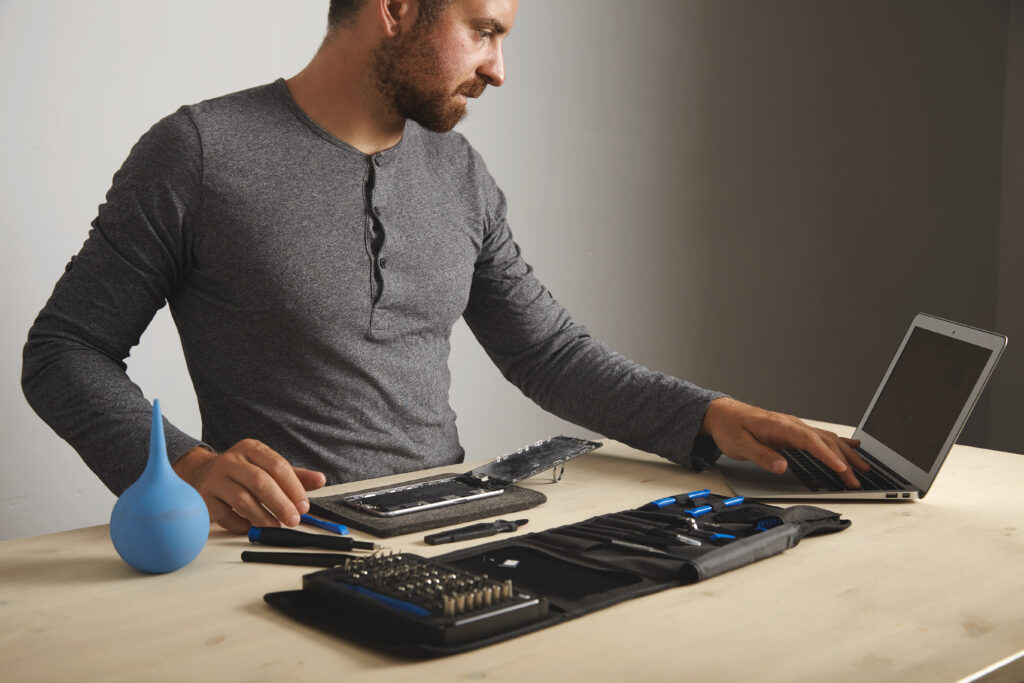
MacBook screen and keyboard repairs are among the most expensive laptop repairs available — Apple’s integrated display assemblies and proprietary keyboards mean even minor damage can result in significant repair bills. This guide covers the exact cost to fix a MacBook screen (Air and Pro, with and without AppleCare+), keyboard replacement costs, how much AppleCare+ costs and whether it is worth it, third-party repair pricing, and when repair versus replacement makes financial sense.
For understanding what caused your MacBook screen damage — Flexgate, pressure damage, burn marks, or cracks — see our full guide to MacBook Pro screen damage — causes, types, and what Apple covers.
MacBook Screen Repair Cost — Apple Out-of-Warranty Pricing
Apple’s out-of-warranty screen repair prices (no AppleCare+) for current and recent MacBook models in the US:
| MacBook Model | Screen Repair (OOW) | Notes |
| MacBook Air 13-inch M4 (2025) | $455-$509 | Display assembly replacement |
| MacBook Air 15-inch M4 (2025) | $509-$609 | Larger display; higher cost |
| MacBook Air 13-inch M2/M3 | $455-$509 | Similar pricing to M4 |
| MacBook Pro 14-inch M5 (2025) | $609-$699 | ProMotion XDR display; expensive assembly |
| MacBook Pro 16-inch M5 (2025) | $699-$799 | Largest display; highest repair cost |
| MacBook Pro 13-inch Intel (2019-2022) | $455-$609 | Varies by Touch Bar model |
| MacBook Pro 16-inch Intel (2019) | $699-$755 | High-end display assembly |
These are Apple’s standard out-of-warranty repair estimates — actual pricing is confirmed at the time of repair after Apple technicians diagnose the device. Prices include parts and labor at Apple Store or Apple Authorized Service Provider (AASP). Tax is additional.
MacBook Screen Repair with AppleCare+
With AppleCare+, accidental screen damage is covered with a flat service fee — significantly cheaper than out-of-warranty repair:
| Coverage | MacBook Air | MacBook Pro |
| Screen damage service fee | $99 per incident | $99 per incident |
| Other accidental damage fee | $299 per incident | $299 per incident |
| AppleCare+ annual cost | $49.99/year | $69.99/year (14-inch) / $79.99/year (16-inch) |
| AppleCare+ one-time cost | $99.99 (2 years) | $149.99 (2 years) |
| Incidents covered per year | 2 incidents | 2 incidents |
The math: a MacBook Air screen repair costs $455-$509 without AppleCare+. With AppleCare+ at $99.99 (2-year plan) plus the $99 service fee, total cost is $198.99 — a saving of approximately $250-$310 on a single screen repair. If you ever damage the screen, AppleCare+ pays for itself immediately.
Is AppleCare+ Worth It for MacBook?
AppleCare+ is worth buying for most MacBook users. The calculation:
- MacBook Air: AppleCare+ costs $99.99 for 2 years. One screen repair with it costs $99 (service fee). Without it, the same repair costs $455-$509. Break-even: just needing one screen repair saves you $250+.
- MacBook Pro: AppleCare+ costs $149.99 for 2 years (14-inch). One screen repair costs $99 service fee vs $609-$699 without. Massive saving on a single incident.
- Battery coverage: AppleCare+ also covers battery replacement (free, if battery holds less than 80% of original capacity before coverage expires) — worth $129-$199 alone.
- Hardware failure coverage: AppleCare+ extends the standard 1-year hardware warranty to 3 years — covers logic board, keyboard, and all hardware defects at no additional cost.
Who might skip AppleCare+: buyers who always use a protective case, work from a fixed desk, never travel with the MacBook, and have a high risk tolerance. For students, frequent travelers, or anyone who carries their MacBook daily, AppleCare+ is strongly recommended.
How to Buy AppleCare+ for MacBook
- At purchase: add AppleCare+ to your MacBook order on apple.com or in the Apple Store
- After purchase: you have 60 days from MacBook purchase to add AppleCare+ — go to System Settings → General → About → AppleCare+ Coverage → Add AppleCare+
- Monthly option: AppleCare+ is also available as a monthly subscription ($4.99/month for MacBook Air, $7.99/month for MacBook Pro 14-inch) — useful if you want coverage but not the upfront cost
How Much Does It Cost to Fix a Cracked MacBook Screen?
A cracked MacBook screen (physical crack from impact or drop) is treated as accidental damage — the most expensive repair category:
| Scenario | Cost Without AppleCare+ | Cost With AppleCare+ |
| MacBook Air cracked screen | $455-$509 | $99 service fee |
| MacBook Pro 14-inch cracked screen | $609-$699 | $99 service fee |
| MacBook Pro 16-inch cracked screen | $699-$799 | $99 service fee |
| Third-party repair (Air) | $200-$350 | N/A — AppleCare+ requires Apple/AASP |
| Third-party repair (Pro) | $300-$500 | N/A |
MacBook Keyboard Replacement Cost
MacBook keyboard replacement is one of the more complex Mac repairs — especially on Apple Silicon models where the keyboard, battery, and top case are sold as an integrated assembly:
| MacBook Model | Keyboard Repair (OOW) | With AppleCare+ |
| MacBook Air M4 (top case assembly) | $299-$399 | $99 (accidental) or free (defect) |
| MacBook Pro 14/16-inch (top case) | $349-$499 | $99 (accidental) or free (defect) |
| Intel MacBook (2019+ scissor) | $249-$349 | $99 (accidental) or free (defect) |
| Intel MacBook (2016-2018 butterfly) | Free — Apple keyboard program | Free — covered program |
Apple Keyboard Replacement Program — Butterfly Keyboards
Apple ran a free keyboard replacement program for MacBook models with butterfly keyboards (2015-2019) — the butterfly mechanism was prone to failure from dust and debris. If you have a MacBook from this era with keyboard issues, contact Apple Support — even out of warranty, Apple may replace the keyboard at no charge under this program. The program covers MacBook (2015-2019), MacBook Pro (2016-2019).
Individual Key Replacement
If only one or two keys are damaged (not the entire keyboard), Apple and some third-party shops can replace individual keys at lower cost. Individual key replacements at Apple typically cost $0-$50 per key depending on the model and whether the keycap, scissor mechanism, or both need replacement. For Apple Silicon MacBooks, individual key replacement is more limited because the top case assembly design makes individual key service harder — many Apple technicians replace the full top case even for single key issues.
MacBook Repair — Apple vs Third-Party
| Factor | Apple / AASP | Third-Party Shop |
| Screen repair cost | $455-$799 (OOW) | $200-$500 |
| Keyboard repair | $299-$499 | $150-$350 |
| Parts quality | Genuine Apple parts | OEM or aftermarket — varies |
| Warranty on repair | 90 days | Varies — typically 30-90 days |
| AppleCare+ impact | AppleCare+ valid after repair | Third-party voids AppleCare+ |
| Apple diagnostic tools | Full access | Limited |
| Turnaround | 1-5 business days | Often same day or 1-2 days |
Critical warning: Using a non-Apple-authorized repair shop for screen replacement on current MacBook models can void remaining AppleCare+ coverage and may trigger a ‘non-genuine display’ warning in macOS on some models. If you have AppleCare+ remaining, always use Apple or an AASP — the $99 service fee is far lower than any third-party repair cost.
Is Repairing a MacBook Worth It?
Whether repair is worth it depends on the MacBook’s age, value, and repair cost:
| MacBook Age / Situation | Repair Recommendation |
| 1-2 years old, AppleCare+ | Repair — $99 service fee is excellent value |
| 1-3 years old, no AppleCare+ | Repair — MacBook still has 3-5 years of value ahead |
| 3-5 years old, screen cracked | Consider — compare repair cost to current resale/replacement value |
| 5+ years old, screen cracked | Likely replace — repair cost may approach or exceed MacBook value |
| Intel MacBook (2017-2019), screen damaged | Check refurb M1 pricing — may be cheaper to buy refurb than repair Intel |
| MacBook Pro 2012-2015 | Replace — repair cost often exceeds device value; Apple Silicon far better |
MacBook Repair — Where to Go
- Apple Store Genius Bar: Book online at apple.com/retail/geniusbar — walk in or mail in. Most reliable option; uses genuine Apple parts.
- Apple Authorized Service Provider (AASP): Independent shops authorized by Apple to use genuine parts and perform Apple-standard repairs. Find one at locate.apple.com. Often faster than Apple Store with similar quality and pricing.
- Best Buy Geek Squad: If you purchased the MacBook from Best Buy and added Geek Squad protection, repairs may be handled there using Apple-authorized channels.
- Apple Self Service Repair: Apple offers a Self Service Repair program for some MacBook models with genuine Apple parts, tools, and repair manuals. Available at selfservicerepair.apple.com — requires technical confidence; mistakes are not covered.
For protecting your MacBook screen from future damage, see our guide to the best MacBook cases, sleeves, and screen protectors — protection for every model.
For current Apple repair pricing specific to your MacBook model, see the Apple Repair pricing estimator. To check AppleCare+ coverage on your MacBook, see Apple Coverage Check.
MacBook Water Damage Repair Cost
Water or liquid damage is not covered under AppleCare+ — only AppleCare+ accidental damage covers spills, but Apple defines liquid damage differently from screen or keyboard damage in some cases. If your MacBook has liquid damage:
• Turn it off immediately — do not attempt to power on a liquid-damaged MacBook. Powering on while liquid is present causes corrosion on the logic board.
• Take it to Apple or an AASP for diagnosis — liquid damage repair costs vary enormously based on what was damaged. Minor spill with quick response: $200-$400 for cleaning. Logic board corrosion: $500-$1,200+. Full logic board replacement on MacBook Pro: can exceed the MacBook’s value.
• AppleCare+ coverage for liquid: Apple’s AppleCare+ terms cover accidental damage including liquid spills, but Apple assesses each case. If the liquid damage is caught early and the MacBook is still functional after drying, the $299 other-damage service fee applies. If extensive corrosion requires full logic board replacement, Apple may quote higher costs.
• Third-party water damage specialists: Some shops specialize in ultrasonic cleaning of liquid-damaged logic boards — this can save the MacBook at significantly lower cost than Apple’s full component replacement approach. Prices range from $150-$400 for the cleaning service.
MacBook Logic Board Repair Cost
Logic board (motherboard) failure is the most expensive MacBook repair — on Apple Silicon models, the logic board contains the M-series chip, RAM, and Neural Engine all in one integrated unit. Replacement costs:
• MacBook Air M4 logic board replacement: $500-$700 at Apple out of warranty
• MacBook Pro M5 14-inch logic board: $700-$900+
• MacBook Pro M5 16-inch logic board: $900-$1,100+
• Intel MacBook Pro logic board: $500-$800 depending on model and CPU configuration
Logic board failures are covered by Apple’s 1-year warranty and AppleCare+ (as hardware defects, not accidental damage — no service fee). If your MacBook logic board fails within warranty or AppleCare+ coverage, Apple replaces it at no cost. Out of warranty with no AppleCare+, logic board replacement on a newer MacBook often approaches or exceeds the device’s value — at that point, replacement is typically the better financial decision.
MacBook Battery Replacement Cost
Battery replacement is one of the more affordable MacBook repairs and extends the device’s useful life significantly:
• MacBook Air (all models): $129-$149 at Apple
• MacBook Pro 13-inch: $149-$179 at Apple
• MacBook Pro 14-inch and 16-inch: $179-$199 at Apple
• With AppleCare+: Free if battery holds less than 80% of original capacity before coverage expires
• Third-party battery replacement: $80-$150 — lower cost but battery quality varies; aftermarket batteries may have lower capacity or shorter lifespan
Battery replacement is worth doing on MacBooks up to 5-6 years old — a new battery restores full runtime for another 2-3 years of use. On MacBooks older than 6 years, evaluate whether other components (slower performance vs newer macOS demands) make full replacement more practical than investing in a battery service.
Mail-In Repair vs In-Store Repair — Which Is Faster?
• In-store (Apple Store Genius Bar): Book online; typical turnaround 1-5 business days for screen and keyboard repairs. Express Replacement Service is available for some MacBook models with AppleCare+ — Apple ships a replacement MacBook before you send yours back, minimizing downtime.
• Mail-in repair (apple.com/support/repair): Apple provides a prepaid shipping box; typical turnaround 5-7 business days including shipping both ways. Best option if no Apple Store is nearby.
• Apple Authorized Service Provider: Often faster than Apple Store for common repairs — same-day or next-day service is common at AASPs for screen and keyboard work. Find one at locate.apple.com.
Before authorizing any MacBook repair, always get a written estimate from Apple or the AASP. Apple provides free diagnostics — a technician will assess the MacBook and give you the exact repair cost before any work begins. You are not obligated to proceed with the repair after receiving the estimate. This is important for older MacBooks where the repair cost may be close to the device’s current market value.
One often-overlooked option for MacBook screen damage: insurance. If you have renters or homeowners insurance, your MacBook may be covered under personal property coverage for accidental damage or theft. Some policies cover electronics with no deductible or a lower deductible than AppleCare+’s $99 service fee. Check your insurance policy before paying out of pocket — filing a claim for a $455 MacBook Air screen repair may be worthwhile depending on your deductible.
Apple’s Certified Refurbished store occasionally lists MacBook models that were returned due to screen or cosmetic damage, repaired to Apple standards with new batteries and cases, and sold at 10-20% below new pricing with a full 1-year warranty. If your MacBook’s repair cost approaches its value, checking apple.com/shop/refurbished before committing to the repair is a smart step — you may find a certified refurbished upgrade at a competitive price.
Bottom Line
| MacBook Air screen repair (OOW) | $455-$509 |
| MacBook Pro 14-inch screen repair (OOW) | $609-$699 |
| MacBook Pro 16-inch screen repair (OOW) | $699-$799 |
| With AppleCare+ (any screen) | $99 service fee per incident |
| AppleCare+ for MacBook Air | $99.99 (2 years) or $4.99/month |
| AppleCare+ for MacBook Pro 14-inch | $149.99 (2 years) or $7.99/month |
| Keyboard replacement (OOW) | $299-$499 (top case assembly) |
| Butterfly keyboard (2016-2019) | Free — Apple keyboard program |
| Third-party repair | $200-$500 — voids AppleCare+ if active |
| Is AppleCare+ worth it? | Yes — one screen repair saves $250-$600 |
Frequently Asked Questions
How much does it cost to fix a MacBook screen?
Without AppleCare+, MacBook screen repair at Apple costs $455-$509 for MacBook Air and $609-$799 for MacBook Pro depending on the model. With AppleCare+, screen damage is covered for a flat $99 service fee regardless of the model. Third-party repair shops charge $200-$500 but may void AppleCare+ if coverage is still active.
How much is AppleCare+ for MacBook?
AppleCare+ for MacBook Air costs $99.99 for a 2-year plan or $4.99/month. MacBook Pro 14-inch AppleCare+ costs $149.99 for 2 years or $7.99/month. MacBook Pro 16-inch is $179.99 for 2 years or $9.99/month. AppleCare+ covers accidental damage (screen, other damage) with service fees of $99 (screen) and $299 (other damage), plus extends hardware warranty coverage to 3 years.
How much does MacBook keyboard replacement cost?
MacBook keyboard replacement at Apple costs $299-$499 out of warranty — Apple Silicon MacBooks require a full top case assembly replacement for keyboard issues. With AppleCare+, keyboard damage from accidents is covered for a $99 service fee. For MacBook models with the butterfly keyboard (2016-2019), Apple has a free keyboard replacement program — contact Apple Support even if out of warranty.
Is it worth fixing a cracked MacBook screen?
For MacBooks under 3 years old with AppleCare+, absolutely — the $99 service fee is excellent value. Without AppleCare+ on a newer MacBook (1-3 years old), repair at $455-$699 is generally worth it given the MacBook’s remaining useful life. For MacBooks 5+ years old, compare repair cost to the MacBook’s current resale value and replacement cost — on older Intel models, buying a refurbished M1 or M2 MacBook may be more cost-effective than a $455+ screen repair.
Where can I get my MacBook screen fixed?
MacBook screen repair options: Apple Store Genius Bar (book at apple.com/retail), Apple Authorized Service Providers (find at locate.apple.com), or third-party repair shops. Always use Apple or an AASP if you have active AppleCare+ — third-party repairs void AppleCare+ coverage. Apple Self Service Repair (selfservicerepair.apple.com) offers genuine parts for confident DIY repairs on eligible models.