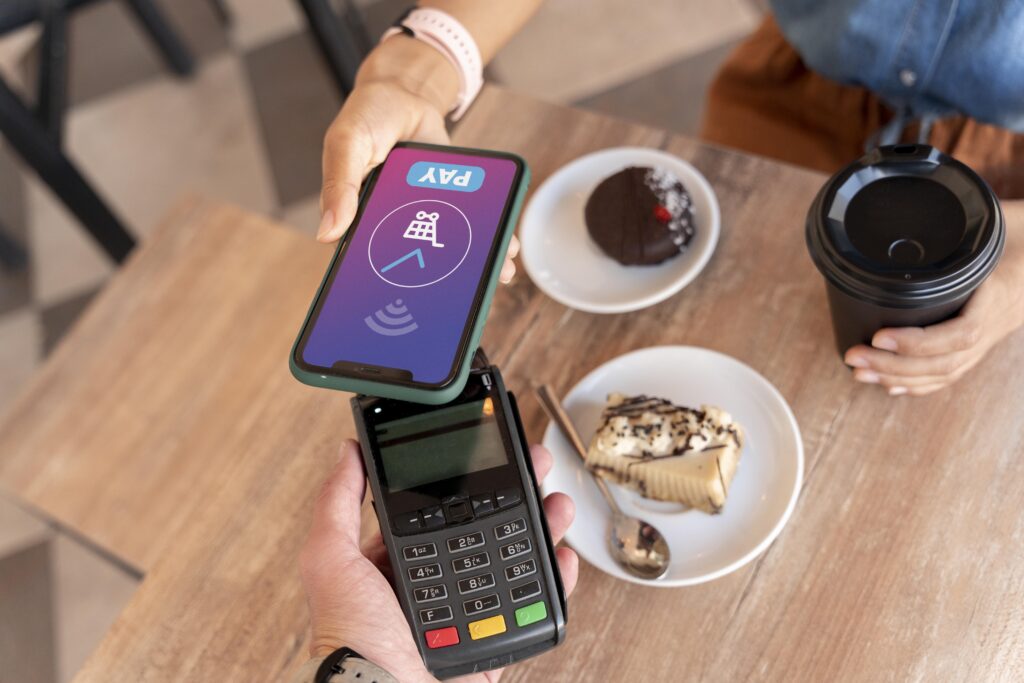
Samsung Pay and Google Pay have both evolved significantly since their original launches — Samsung Pay merged with Samsung Pass to become Samsung Wallet in 2022, and Google Pay became Google Wallet around the same time. Despite the name changes, the core question for Samsung Galaxy users remains the same: which mobile payment system should you use, and is there still a meaningful difference between them in 2026?
If you are setting up a new Samsung Galaxy phone, our Samsung Galaxy tips and how-to guide covers other One UI setup steps including Dual Messenger, OEM unlock, and home screen customization alongside payment setup.
Google Pay vs Samsung Pay: The Key Differences
| Feature | Google Wallet (Google Pay) | Samsung Wallet (Samsung Pay) |
| Availability | Works on any Android phone with NFC | Samsung Galaxy phones only |
| NFC payments | Yes — works at all NFC terminals | Yes — works at all NFC terminals |
| MST (magnetic stripe) | No — NFC only | No — MST support was discontinued in 2021 |
| Card compatibility | All major US credit/debit cards | All major US credit/debit cards |
| Rewards and offers | Google Wallet Offers tab with merchant deals | Samsung Money; some carrier and bank offers |
| Digital IDs | Yes — driver’s license in supported states | Yes — ID wallet functionality in Samsung Wallet |
| Transit passes | Yes — wide US city coverage | Limited — fewer transit integrations |
| Loyalty cards | Yes | Yes |
| Boarding passes | Yes | Yes |
| Car keys | Yes — compatible vehicles | Yes — compatible vehicles |
What Happened to MST on Samsung Pay?
Samsung Pay originally launched with a significant differentiator called MST (Magnetic Secure Transmission) — a technology that could emulate a magnetic stripe swipe, allowing Samsung Pay to work at older card terminals that did not support NFC contactless payments. This was a genuine advantage in Samsung Pay’s early years when NFC terminal coverage in the US was lower than it is today.
Samsung removed MST support from new Galaxy phones starting with the Galaxy S21 in 2021, citing the widespread adoption of NFC terminals across the US that made MST largely redundant. This decision eliminated the one area where Samsung Pay had a clear technical advantage over Google Pay, and from a payment functionality standpoint the two services are now essentially equivalent on NFC-capable terminals.
Samsung Wallet vs Google Wallet: Beyond Payments
Both Samsung Wallet and Google Wallet have expanded beyond card payments to become general-purpose digital wallets — and this is where the differences between them are now most meaningful.
Google Wallet advantages
- Transit card support is broader — Google Wallet works with more US transit systems including New York MTA, Chicago CTA, and many others
- Digital ID support has expanded to more states faster than Samsung Wallet
- Google Wallet integrates more deeply with Google services — Gmail ticket detection, Google Maps integration for boarding passes and event tickets
- Works on any Android device, not just Samsung
Samsung Wallet advantages
- Integrates with Samsung Pass for password and biometric management in one app
- Samsung Money — a debit card and financial management feature available within Samsung Wallet
- Tighter integration with Samsung Health data and Samsung-specific loyalty programs
- Better integration with Samsung SmartThings for smart home device key management
Which Should Samsung Galaxy Users Use?
For most Samsung Galaxy users in 2026, the practical recommendation is to use Google Wallet as the primary payment method and Samsung Wallet for Samsung-specific features like Samsung Pass and Samsung Money.
The reasoning is simple: Google Wallet has better transit card support, better digital ID adoption, and better integration with Google services that most Android users rely on heavily (Gmail, Google Maps, Google Calendar). Samsung Wallet’s payment functionality is equivalent, but its non-payment features are more limited to Samsung-specific services that not all Galaxy users engage with.
The two apps are not mutually exclusive — both can be installed and set to different default uses. Setting Google Wallet as the default NFC payment app while keeping Samsung Wallet for Samsung Pass and Samsung Money is a practical setup for power users.
Samsung Pay vs Google Pay vs Android Pay: History
Android Pay was Google’s original contactless payment service, launched in 2015. It was succeeded by Google Pay in 2018, which combined Android Pay with Google’s peer-to-peer payment service. Google Pay then became Google Wallet in 2022, reverting to the name of Google’s earlier digital wallet product from 2011. The underlying NFC payment technology has remained consistent throughout these rebrands — what changed was primarily the app name, branding, and the features bundled alongside the core payment function.
Samsung Pay launched in 2015 alongside the Galaxy S6 and was initially differentiated by MST technology. It merged with Samsung Pass in 2022 to become Samsung Wallet. Like Google’s rebranding, the core payment functionality remained unchanged.
How to Disable Samsung Pay / Samsung Wallet
Samsung Wallet cannot be fully uninstalled on Galaxy phones as it is a system app, but it can be disabled to prevent it from appearing in the app drawer and consuming background resources:
- Go to Settings > Apps
- Tap the three-dot menu and select ‘Show system apps’
- Find Samsung Wallet and tap Disable
Alternatively, the Samsung Wallet quick panel shortcut can be removed from the notification shade by long-pressing the Samsung Wallet quick tile and selecting Remove. The payment shortcut that appears when swiping up from the home button can be reconfigured in Samsung Wallet settings under Default payment method.
Samsung Pay Checkout (.com): What Is It?
pay.samsung.com is Samsung’s online payment checkout integration — a service that allows Galaxy device owners to complete online purchases using their Samsung Wallet payment credentials without entering card details manually. It appears as a checkout option on merchant websites that have integrated Samsung’s payment SDK. It is functionally similar to Google Pay online checkout and Apple Pay on the web — a faster checkout flow using stored credentials rather than a separate payment service.
Samsung Apps vs Google Apps: Which to Use on Galaxy?
Samsung Galaxy phones ship with both Samsung’s own app suite and Google’s apps pre-installed, and for many functions there is a direct Samsung vs Google choice:
| Function | Samsung App | Google App |
| Browser | Samsung Internet | Google Chrome |
| Maps | None (uses Google Maps) | Google Maps |
| Samsung Email | Gmail | |
| Calendar | Samsung Calendar | Google Calendar |
| Notes | Samsung Notes | Google Keep |
| Cloud storage | Samsung Cloud | Google Drive |
| Payments | Samsung Wallet | Google Wallet |
| Voice assistant | Bixby | Google Assistant |
Samsung Internet is a genuinely underrated browser — faster than Chrome on Samsung hardware due to its deeper Exynos/Snapdragon integration, with built-in ad blocking and Secret Mode. For users who are not Chrome-dependent for cross-device sync, Samsung Internet is worth trying as a Chrome replacement. For most other categories, Google’s apps benefit from tighter integration with Google services and broader third-party compatibility.
For the latest Google Wallet feature updates, see the Google Wallet help center. For Samsung Wallet feature details and supported cards, see the Samsung Wallet support page.
Security: Google Wallet vs Samsung Wallet
Both Google Wallet and Samsung Wallet use the same underlying NFC payment security standard — EMVCo tokenization. When you add a card to either app, the card number is replaced with a device-specific token that is transmitted during payment. The actual card number is never transmitted at the point of sale, meaning that even if a transaction were intercepted, it would not expose the cardholder’s real card number.
• Both apps require biometric authentication (fingerprint or face unlock) or PIN before initiating a payment — the payment cannot be triggered without device authentication
• Samsung Wallet adds Knox hardware security as an additional layer — Knox provides isolated secure storage within the Galaxy device’s hardware
• Google Wallet’s security is backed by Google’s fraud detection infrastructure, which monitors transaction patterns across all Google accounts
Neither app has a meaningful security advantage over the other for standard contactless payment transactions. The security model for both is significantly more secure than a physical credit card, since physical cards can be skimmed but tokenized NFC payments cannot.
Adding Cards to Google Wallet and Samsung Wallet
Both Google Wallet and Samsung Wallet support all major US credit and debit cards from Visa, Mastercard, American Express, and Discover. Most major US banks and credit unions support both wallets, though some regional banks and credit unions may support one but not the other — checking your card issuer’s compatibility list before trying to add a card is the fastest way to confirm support.
Store cards and loyalty cards can be added to both apps alongside payment cards. Google Wallet has broader loyalty card support through its Google Pay API partnerships. Samsung Wallet’s loyalty card support is improving but remains more limited than Google Wallet’s for less common retailers.
Using Samsung Pay / Google Pay Internationally
Both Samsung Wallet and Google Wallet work at NFC contactless payment terminals internationally, since NFC payment is a global standard. The most important consideration for international travel is whether your bank card is enabled for international transactions — this is a card-level restriction, not a wallet restriction. Cards that are enabled for international use work through either wallet wherever NFC terminals are available, which includes most Western Europe, Australia, Canada, Japan, South Korea, and many other markets.
For everyday Samsung Galaxy users, the practical takeaway from this entire comparison is straightforward: set up both apps, use Google Wallet for tap-to-pay at NFC terminals (better transit support) and Samsung Wallet for Samsung Pass password management, then forget about the debate.
The choice between Google and Samsung for payments is far less important than having a mobile payment method at all — both are secure, fast, and accepted at every NFC terminal in the US.
Samsung SoFi Partnership: What Percent APY?
Several Samsung Galaxy users have searched for information about the Samsung-SoFi partnership, specifically regarding APY rates. This refers to Samsung Money by SoFi — a banking product formerly available through Samsung Wallet in the US, where Samsung partnered with SoFi Bank to offer a debit card and high-yield savings features integrated into the Samsung Wallet app.
The Samsung Money by SoFi APY and terms changed over time and have been subject to the same interest rate environment changes as other high-yield savings products. For current rates, checking Samsung’s official Wallet page or SoFi’s website directly is the only reliable source, since published APY rates for any savings product can change frequently based on Federal Reserve rate decisions.
Troubleshooting: Samsung Pay Not Working
• Payment declined at NFC terminal: confirm NFC is enabled in Settings > Connections > NFC; also confirm the terminal is NFC-capable (tap-to-pay symbol)
• Card not adding to Samsung Wallet: check that your bank supports Samsung Wallet; contact your bank directly if the card fails to verify
• Samsung Wallet app crashing: clear the app cache through Settings > Apps > Samsung Wallet > Storage > Clear Cache; reinstall if cache clear does not resolve
• Samsung Pay showing as unavailable: this typically occurs immediately after a factory reset or device setup — Samsung Wallet requires Knox attestation and may take several minutes after setup to become available
Both Google Wallet and Samsung Wallet have matured into reliable, secure, and feature-complete digital wallet platforms.
The 2022 rebranding of both services reflected their expansion from pure payment apps into broader financial management tools — and for Galaxy users, taking advantage of both apps for their respective strengths is the most practical approach in 2026.
Whether you are a new Galaxy owner setting up your phone for the first time or a seasoned user re-evaluating your payment app setup, the answer in 2026 is simpler than the debate might suggest: both apps work well, both are secure, and using both for their respective strengths is better than committing to just one.
Set up Google Wallet for NFC payments, transit cards, and digital IDs. Keep Samsung Wallet for Samsung Pass and any Samsung-specific financial products. That combination covers every use case both apps offer.
Related Guides on TechPlayGuide
For more Samsung guides, see our Samsung Galaxy tips and how-to guide.
For more Samsung guides, see our Samsung Galaxy Z Fold 8 release date guide.
Bottom Line
| NFC payments | Equal — both work at all NFC terminals |
| MST (magnetic stripe) | Both discontinued MST; NFC-only since 2021 |
| Transit cards | Google Wallet wins — broader US city coverage |
| Digital IDs | Google Wallet wins — more states supported faster |
| Samsung-specific features | Samsung Wallet wins — Samsung Pass, Samsung Money, SmartThings |
| Best setup for Galaxy users | Use both: Google Wallet for NFC payments; Samsung Wallet for Samsung Pass |
| Samsung Pay online checkout | pay.samsung.com — faster web checkout using Samsung Wallet credentials |
Frequently Asked Questions
Is Google Pay or Samsung Pay better?
For payment functionality at NFC terminals, Google Pay (Google Wallet) and Samsung Pay (Samsung Wallet) are equivalent — both work at all contactless payment terminals in the US. Google Wallet has broader transit card support and digital ID adoption. Samsung Wallet has better integration with Samsung-specific services like Samsung Pass and Samsung Money. Most Galaxy users benefit from using both for different purposes.
What happened to Samsung Pay?
Samsung Pay was rebranded as Samsung Wallet in 2022, merging with Samsung Pass to create a single app for payments, passwords, and digital IDs. The core NFC payment functionality remained unchanged. MST (magnetic stripe emulation) support had already been removed from new Galaxy phones in 2021.
How do I disable Samsung Pay on my Galaxy phone?
Samsung Wallet cannot be fully uninstalled as it is a system app, but it can be disabled through Settings > Apps > (Show system apps) > Samsung Wallet > Disable. This removes it from the app drawer and stops background activity without requiring root access.
Does Samsung Pay still work at magnetic stripe terminals?
No — Samsung removed MST (Magnetic Secure Transmission) support from new Galaxy phones starting with the Galaxy S21 in 2021. Samsung Pay now works only at NFC contactless terminals, the same as Google Pay and Apple Pay.
What is the difference between Google Wallet and Samsung Wallet?
Google Wallet works on any Android phone with NFC and has broader transit card and digital ID support. Samsung Wallet works only on Galaxy phones but integrates with Samsung Pass for password management and Samsung Money for financial features. Payment functionality is equivalent on NFC terminals.