The app landscape in 2026 has been transformed by AI integration — nearly every major productivity and study app now includes AI assistance. This guide covers the best apps across every key category: study apps for college students, AI note-taking apps, productivity tools, mobile app development resources, CarPlay and Android Auto apps, music apps, running apps, video editing apps for social media, and drawing apps for iPad. Plus: fixes for common app issues including Discord streaming, Roku loading, and authenticator app problems.
For Android app management including the app drawer, hiding apps, force close, and deleting apps from Roku and Samsung TV, see our guide to Android app drawer, hide/unhide apps, force close, and delete apps — complete guide.
Best Study Apps for College Students 2026
| App | Price | Best For |
| Notion | Free / $10/mo | All-in-one notes, tasks, databases, study wikis |
| Anki | Free | Spaced repetition flashcards — best for memorization |
| Quizlet | Free / $7.99/mo | Flashcards, practice tests, AI-generated study sets |
| Forest | $3.99 | Focus timer; gamified Pomodoro; blocks distracting apps |
| Obsidian | Free / $10/mo Sync | Linked note-taking; knowledge graph; Markdown |
| Photomath | Free / $9.99/mo | Scan and solve math problems step-by-step |
| Grammarly | Free / $12/mo | Writing assistance; grammar, tone, clarity checking |
| Google Scholar | Free | Academic paper search; citation finder |
| Zotero | Free | Reference management; citation generator; research tool |
| Toggl Track | Free | Time tracking; understand how you actually spend study hours |
Top picks by use case: for memorization — Anki (unmatched spaced repetition algorithm); for note-taking — Notion or Obsidian depending on whether you prefer cloud collaboration or local privacy; for math — Photomath; for writing — Grammarly. All four are available on iOS and Android.
Best AI Note-Taking Apps 2026
AI note-taking apps use artificial intelligence to transcribe, summarize, organize, and connect notes automatically — transforming the note-taking process from manual to intelligent.
| App | Price | Key AI Features |
| Notion AI | $10/mo | Summarize pages, draft content, ask questions about notes |
| Otter.ai | Free / $16.99/mo | Live meeting transcription; AI summary; speaker identification |
| NotebookLM (Google) | Free | Upload documents; AI answers questions based only on your sources |
| Mem.ai | $14.99/mo | AI organizes notes automatically; no manual folders needed |
| Reflect | $10/mo | AI that connects your notes to each other; networked thinking |
| Obsidian + AI plugins | Free + plugin | Local AI processing; privacy-first; smart link suggestions |
| Microsoft OneNote + Copilot | Microsoft 365 | AI summarization and content generation in OneNote |
Best free AI note-taking app: Google NotebookLM is the standout free option — upload your textbook PDFs, lecture notes, or research papers, and ask it questions that are answered only using your uploaded sources. This eliminates hallucination risk and makes it ideal for studying specific material.
Best Productivity Apps Updates 2026
The biggest productivity app changes in 2026 center on AI integration — every major productivity suite added AI features that automate repetitive tasks:
- Notion AI (2026): Introduced Projects AI that automatically updates task statuses based on note content, and Database AI that generates summaries of entire project databases
- Microsoft 365 Copilot (2026): Now integrated into Excel, Word, Outlook, Teams, and OneNote with context-aware AI that understands your full document history
- Google Workspace Gemini (2026): Deep Gmail integration — Gemini now drafts full email replies matching your tone, and summarizes long email threads
- Obsidian 1.x (2026): Native AI plugin support added to the core app; Canvas AI for visual note connections
- Todoist Twist AI (2026): Natural language task entry with automatic deadline detection and priority assignment
Best Mobile App Development Tools and Resources
Mobile App Development Tools 2026
| Tool | Type | Best For |
| Flutter (Google) | Cross-platform SDK | iOS + Android from one codebase; Dart language |
| React Native (Meta) | Cross-platform framework | iOS + Android; JavaScript/TypeScript |
| SwiftUI (Apple) | Native iOS | Best performance for iOS-only apps; Swift language |
| Jetpack Compose (Google) | Native Android | Best performance for Android-only apps; Kotlin |
| Expo | React Native wrapper | Fastest React Native prototyping; built-in APIs |
| Firebase | Backend platform | Authentication, database, hosting for mobile apps |
| AppSheet (Google) | No-code | Spreadsheet to app conversion; no coding required |
| Glide | No-code | Spreadsheet to app; beautiful UI; fast deployment |
Flutter vs React Native 2026 — Which to Choose
- Choose Flutter: for apps requiring high-performance custom UI, smooth animations, or identical pixel-perfect appearance on iOS and Android; growing ecosystem; excellent documentation
- Choose React Native: if your team already knows JavaScript/TypeScript; large existing ecosystem; Meta actively developing; new Architecture (JSI) significantly improved performance
- Choose SwiftUI/Kotlin Compose: if building platform-specific apps where performance and native integration matter most
Spreadsheet to App — No-Code Options
Converting a spreadsheet to a mobile app without coding has become practical in 2026. Glide (glideapps.com) connects directly to Google Sheets or Excel and generates a fully functional mobile app in minutes. AppSheet (Google) does the same with more enterprise features. Both platforms allow publishing to iOS and Android without any programming — useful for small businesses, internal tools, and data collection apps.
Best CarPlay and Android Automotive Apps
Best CarPlay Apps 2026
- Waze: Best navigation app for CarPlay; real-time traffic, police alerts, incident reporting
- Spotify: Best music streaming on CarPlay; large library, podcast support, offline playback
- Google Maps: Best map data for CarPlay; better POI database than Apple Maps
- Audible: Best audiobook app on CarPlay; hands-free listening
- WhatsApp: Voice messages and calls through CarPlay; Siri-activated messaging
- Overcast: Best podcast app for CarPlay; smart speed, voice boost
Android Automotive Apps
Android Automotive OS (built into the car, unlike Android Auto which requires phone connection) supports a growing app ecosystem. Available Android Automotive apps in 2026: Spotify, YouTube Music, Tidal, Amazon Music, Google Maps, Waze, AccuWeather, Parkopedia. Android Automotive is built into Volvo, Polestar, Renault, and GM vehicles. Unlike Android Auto (phone-dependent), Android Automotive apps run natively in the car without a connected phone.
Apps Like TikTok — Best TikTok Alternatives
Following TikTok’s regulatory challenges in the US, several alternative short-form video apps gained users:
| App | Why It’s the Best Alternative |
| Instagram Reels | Largest creator base; same format; Meta’s algorithm |
| YouTube Shorts | Best for discovery; Google’s recommendation engine |
| Snapchat Spotlight | Rewards creators financially; younger demographic |
| Clapper | US-based alternative; no foreign ownership concerns |
| Lemon8 (ByteDance) | Photo + video hybrid; same company as TikTok |
| RedNote (Xiaohongshu) | Viral as TikTok alternative; Chinese platform; lifestyle content |
How to Watch TikTok Without the App
You can watch TikTok content without downloading the app: visit tiktok.com in any mobile or desktop browser — most TikTok videos are publicly viewable without an account. Some features (following, liking, commenting) require an account, but browsing and watching are available without the app installed. On iOS, you can save tiktok.com as a PWA (Progressive Web App) on your home screen via Safari → Share → Add to Home Screen.
Best Free Music Apps 2026
| App | Free Tier | Best For |
| Spotify | ✅ Yes (ads) | Largest library; best algorithm; Discover Weekly |
| YouTube Music | ✅ Yes (ads) | Best for rare/unofficial music; live versions |
| SoundCloud | ✅ Yes (limited) | Best for independent and underground artists |
| Amazon Music | ✅ Prime tier | Good for Amazon Prime subscribers |
| Tidal | ❌ No free tier | Best audio quality; HiFi lossless; MQA/Dolby Atmos |
| Deezer | ✅ Yes (ads) | Good Shazam-like song recognition; Flow algorithm |
Unblocked music apps for school/work: if streaming services are blocked on your network, browser-based options like Soundcloud.com or YouTube.com (not the app) may be accessible. VPNs can unblock Spotify and other streaming services on restricted networks — though check your school or workplace policy before using a VPN on their network.
Best Running Apps and Recommended Running Apps 2026
| App | Price | Best For |
| Strava | Free / $11.99/mo | Best community; segment leaderboards; route mapping |
| Nike Run Club | Free | Best free coached runs; guided workouts; no subscription |
| Garmin Connect | Free (with device) | Best for Garmin watch users; detailed analytics |
| Apple Fitness+ | $9.99/mo | Best for Apple Watch users; guided runs in Fitness app |
| Runna | $14.99/mo | Best training plan generator; personalized marathon plans |
| Couch to 5K (C25K) | Free | Best for absolute beginners; structured beginner program |
| MapMyRun | Free / $5.99/mo | Best route mapping and calorie tracking |
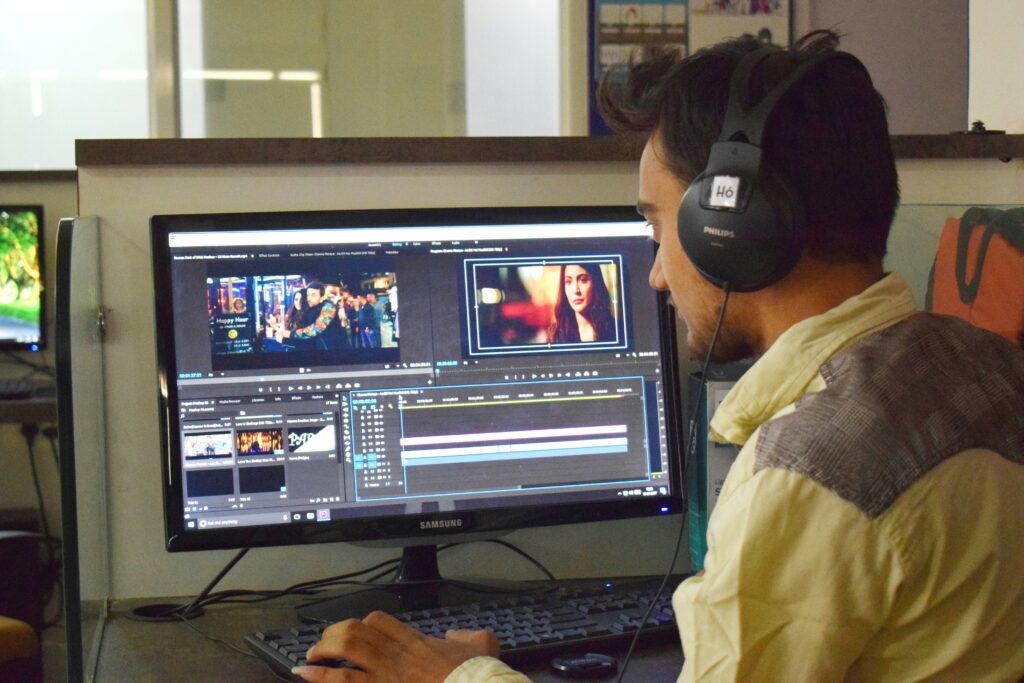
Best Video Editing Apps for Social Media 2026
| App | Platform | Best For |
| CapCut | iOS/Android/PC | Best overall; TikTok/Reels optimization; AI features; free |
| Adobe Premiere Rush | iOS/Android | Best cross-device editing; syncs to desktop Premiere |
| InShot | iOS/Android | Best for quick edits; easy interface; all formats |
| VN (Video Nation) | iOS/Android | Best free feature set; multi-track; no watermark |
| Splice | iOS/Android | Clean interface; good music library; beginner-friendly |
| Clips (Apple) | iOS only | Easiest for iPhone; AR stickers; iCloud sync |
Best Drawing Apps for iPad 2026
| App | Price | Best For |
| Procreate | $12.99 (one-time) | Best professional drawing app; industry standard |
| Adobe Fresco | Free / Creative Cloud | Best for mixed media; live brushes; brush import |
| Affinity Designer 2 | $16.99 | Best vector drawing; Illustrator alternative |
| Sketchbook | Free | Best free drawing app; clean interface; full feature set |
| Concepts | Free / $9.99/mo | Best for designers; infinite canvas; vector drawing |
| GoodNotes 6 | $9.99/yr | Best for note-taking drawing; handwriting recognition |
Common App Fixes — Discord, Roku, Reolink, EA App
Discord App Streaming Blinking Screen Fix
If Discord’s screen share or streaming shows a blinking or flashing screen for viewers: go to Discord Settings → Voice & Video → Hardware Acceleration → turn it OFF. This resolves the blinking screen issue on most Windows systems. Alternatively, try changing the screen share streaming mode from ‘Screen’ to ‘Window’ (share a specific app window instead of the full screen). Updating your GPU drivers also resolves streaming blinking in many cases.
Roku Apps Loading Issues — Fix
If Roku apps are slow to load or not loading: restart your Roku (Settings → System → System Restart, or unplug for 30 seconds), check your internet connection speed (Roku recommends 3 Mbps for HD, 9 Mbps for 4K), clear the Roku channel cache by going to the channel → pressing Home 5 times → Up → Rewind twice → Fast Forward twice on the remote, or remove and reinstall the problematic channel. If specific channels load slowly while others work fine, the issue is with that channel’s server — not your Roku.
Reolink App No Network Connection Fix
‘No network connection available’ in the Reolink app: ensure your phone and Reolink camera are on the same Wi-Fi network (Reolink cameras default to 2.4GHz — phones connected to 5GHz may not detect them). Go to Reolink app → Settings → check Network Status. If using remote access, enable DDNS in the camera settings. Reinstalling the Reolink app and re-adding the device often resolves persistent connection errors.
EA App Repair Sims 4
If The Sims 4 is broken after an EA App update: open the EA App → Library → right-click The Sims 4 → Repair. This verifies and restores missing or corrupted game files without requiring a full reinstall. If repair does not work: uninstall the EA App (not the game), download the latest EA App installer from ea.com, reinstall, then launch The Sims 4 through the EA App. Your save files are preserved in Documents\Electronic Arts\The Sims 4.
For Android app management guides including app drawer, hiding apps, and deleting apps from Roku and Samsung TV, see our guide to Android app drawer, hide/unhide apps, force close, and app management.
For the latest app reviews and tech recommendations, see The Verge — best apps. For productivity app comparisons, see PCMag — best productivity apps.
For AI tools across all categories including AI study assistants, writing tools, and creative AI apps, see our guide to the best AI tools and productivity apps by category 2026.
Which Operating System Is Optimized for Web Apps?
ChromeOS is the operating system most optimized for web apps — it was designed from the ground up around web applications, running Progressive Web Apps (PWAs) as first-class citizens alongside Android apps from the Google Play Store. Chromebooks boot in under 10 seconds, have excellent battery life, and run every major productivity web app (Google Workspace, Microsoft 365 Online, Notion, Figma, Canva) natively without needing desktop installations. For developers, Linux can be enabled on ChromeOS providing access to web development tools. Windows 11 has significantly improved PWA support through Microsoft Edge, which can install any web app as a desktop app and keep it updated automatically. macOS also supports PWAs through Safari. For the lightest and most web-optimized experience, ChromeOS remains the purpose-built choice; Windows 11 is the best for users who need both web apps and traditional desktop software on the same device.
Samsung Wallpaper App and Lock Screen Customization
The Samsung wallpaper app (Galaxy Themes) is the built-in customization platform for Samsung Galaxy phones — available in the Themes app pre-installed on all Galaxy devices. Galaxy Themes offers free and paid wallpapers, icon packs, always-on display themes, and complete phone themes that change icons, colors, and fonts simultaneously. To change your Samsung wallpaper: long-press the home screen → Wallpapers and Styles → choose from Gallery, Dynamic, or Galaxy Themes. For additional free wallpapers beyond what Samsung provides, Backdrops (iOS/Android), Walli, and Unsplash both offer high-resolution wallpapers free. The Samsung wallpaper app also supports dynamic wallpapers that change based on time of day, weather, and phone usage patterns — enable these in Wallpapers and Styles → Dynamic Wallpapers.
WiFi Calling Apps — Best Options for Android and iPhone
WiFi calling apps allow you to make voice calls over a WiFi connection when cellular signal is weak or unavailable. Options: your carrier’s built-in WiFi Calling (most US carriers support it — enable in Settings → Cellular → WiFi Calling on iPhone, or Settings → Connections → WiFi Calling on Samsung) is the easiest solution requiring no third-party app. For free WiFi calling without a carrier: Google Voice (US only) provides free WiFi-based calls and texts using a Google-assigned number; WhatsApp and FaceTime support voice calls over WiFi and data; Skype provides free Skype-to-Skype calling over WiFi. The carrier built-in WiFi Calling feature is recommended as the first option since it uses your existing number and seamlessly switches between cellular and WiFi. Call barring apps for Android — apps that block specific incoming or outgoing calls — include Should I Answer (blocks spam calls) and Call Control (best spam call blocking, free tier available).
Android Data Recovery App — Recovering Deleted Files
Recovering deleted photos, contacts, or files from Android requires an Android data recovery app. Options: Dr.Fone (iOS/Android, Windows/Mac) is the most trusted paid recovery tool — connects your Android to a PC and scans internal storage for recoverable deleted files including photos, messages, and contacts. DiskDigger (Android, free/paid) is the best on-device recovery app — searches Android’s internal storage without requiring a PC connection; the free version recovers photos, the paid version adds document recovery. Tenorshare UltiData Android Recovery works similarly to Dr.Fone with a PC-based recovery process. Important caveat: the sooner you attempt recovery after deletion, the higher the success rate — deleted files are overwritten by new data over time. Enable Google Photos backup (automatic cloud backup) to prevent photo loss in the first place; Google Photos’ Trash holds deleted photos for 60 days before permanent deletion, making simple recovery possible without any third-party app.
Bottom Line
| Best study app for college | Notion (notes) + Anki (memorization) + Grammarly (writing) |
| Best AI note-taking app | Google NotebookLM (free) or Otter.ai (meetings) |
| Best mobile dev tool | Flutter (cross-platform) or React Native (JavaScript) |
| Spreadsheet to app | Glide or AppSheet — no code required |
| Best CarPlay app | Waze (navigation) or Spotify (music) |
| Best TikTok alternative | Instagram Reels (reach) or YouTube Shorts (discovery) |
| Best free music app | Spotify (free tier, ads) or YouTube Music |
| Best running app | Strava (community) or Nike Run Club (free coaching) |
| Best video editing app | CapCut — free, powerful, social media optimized |
| Best iPad drawing app | Procreate ($12.99 one-time) — industry standard |
Frequently Asked Questions
What are the best study apps for college students?
The best study apps for college students in 2026 are Notion (all-in-one note organization and task management), Anki (spaced repetition flashcards for memorization — used by medical students worldwide), Quizlet (AI-generated flashcards and practice tests), Google NotebookLM (upload your course materials and ask AI questions about them), Grammarly (writing quality improvement), and Forest (focus timer that gamifies Pomodoro study sessions). For math specifically, Photomath is unmatched — scan any equation and get step-by-step solutions.
What is the best AI note-taking app?
The best AI note-taking apps in 2026 are Google NotebookLM (free — upload your own documents and ask AI questions sourced only from your material), Otter.ai (best for meeting/lecture transcription with AI summary), and Notion AI (best for organizing and connecting existing notes). For privacy-conscious users, Obsidian with local AI plugins processes everything on-device. NotebookLM is the standout free recommendation for college students — it eliminates AI hallucination risk by only referencing content you upload.
What are the best apps like TikTok?
The best TikTok alternatives are Instagram Reels (largest US creator base, same short-form video format, best for reaching existing followers), YouTube Shorts (best for discovery and long-term monetization through Google’s recommendation engine), and Snapchat Spotlight (pays creators directly per view). For users looking to replicate TikTok’s discovery algorithm experience specifically, YouTube Shorts is the closest match — both use interest-based rather than follower-based discovery. Clapper is a US-owned alternative for users concerned about foreign platform ownership.
What are the best free music apps?
The best free music apps in 2026 are Spotify (largest catalog at 100 million+ tracks; algorithm-generated Discover Weekly is unmatched; free tier has ads and shuffle-only on mobile), YouTube Music (best for rare live recordings, covers, and unreleased material not on other platforms; free tier with ads), and SoundCloud (best for indie and underground artists; free tier available; no major label restrictions). For completely ad-free free music: some public libraries provide free Spotify Premium or other streaming service access — check your library card benefits.