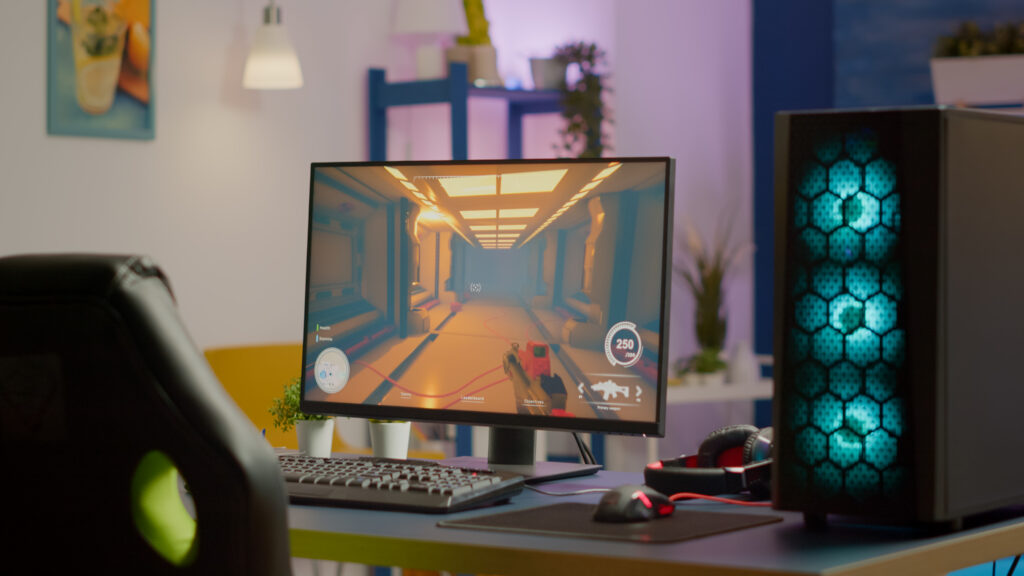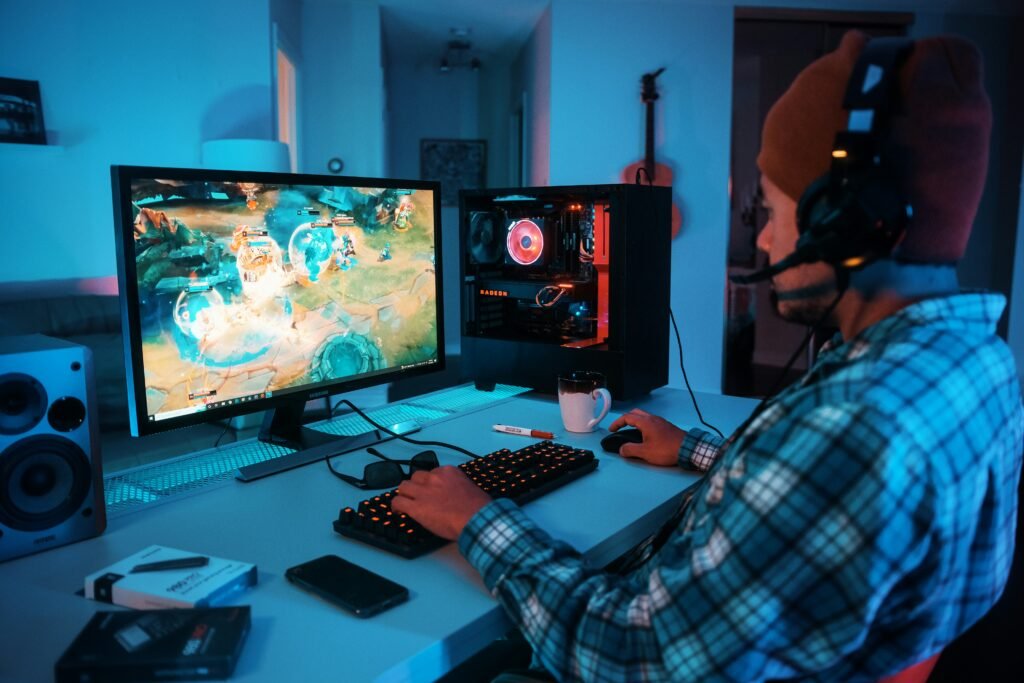
The gaming PC market in 2026 offers more choices than ever — RTX 5000-series prebuilts, AMD Ryzen 5 custom builds, liquid-cooled mid-towers, compact mini PCs, and sleeper builds hiding inside vintage cases. Whether you want to buy a prebuilt gaming PC, build your own, rent-to-own, or upgrade an existing machine, this guide covers it all: the best gaming PCs under $1,000, RTX 5070 Ti and 5080 deals, CyberPowerPC vs iBuyPower, the sleeper PC concept, white gaming computer setups, 1440p gaming PCs, gaming PC vs console, and how to upgrade storage in a Skytech Archangel.
For gaming PC optimization — 4K gaming, ray tracing, low latency, high refresh rates, VR setup, and Windows 11 first steps, see our article on how to optimize a gaming PC for 4K, ray tracing, low latency, and competitive gaming.
Prebuilt Gaming PC vs Building Your Own — Which Is Better in 2026?
The prebuilt vs custom build debate has shifted significantly in 2026. For most buyers, prebuilt gaming PCs now offer competitive value — the supply chain has normalized, GPU prices are more reasonable, and prebuilt integrators like CyberPowerPC, iBuyPower, and Alienware have improved their component choices and build quality.
| Factor | Prebuilt PC | Custom Build |
| Price | Slight premium (5-15% over parts) | Can be cheaper with sales; requires more time |
| Time to game | Same day — plug in and play | Several hours to build and set up |
| Warranty | Complete system warranty (1-3 years) | Per-component warranties only |
| Component quality | Varies — some prebuilts cut corners on PSU/RAM | You control every component choice |
| Upgradability | Usually good — standard ATX parts | Full — you designed it |
| Overclocking | Limited on most prebuilts | Full access |
| Best for | Beginners, time-limited, plug-and-play buyers | Enthusiasts, budget-optimizers, builders |
Compare Alienware Aurora to Building a Gaming PC
The Alienware Aurora R16 (2024-2025) is one of the most polished prebuilt gaming PCs — it uses a unique Legend form factor with tool-less access, excellent thermal design, and Alienware’s premium build quality. But is it worth it versus a custom build? At comparable RTX 4080/5070 Ti configurations, the Aurora typically costs 15-25% more than self-building with equivalent components. What you get for the premium: a complete warranty, a refined aesthetic, Alienware Command Center software, and zero assembly time. What you give up: higher-quality PSU selection (custom builds can spec a better power supply), no RGB control over every component, and a proprietary form factor that limits some upgrades. Verdict: for buyers who value plug-and-play reliability and the Alienware brand, the Aurora is worth it. For performance-per-dollar maximizers, a custom build with the same GPU wins.
RTX 5070 Ti and RTX 5080 Gaming PC Deals 2026
RTX 5070 Ti Gaming PC
The RTX 5070 Ti (Blackwell architecture) is NVIDIA’s high-performance tier below the RTX 5080, offering excellent 1440p and 4K gaming performance with DLSS 4 Multi-Frame Generation. In prebuilt gaming PCs, RTX 5070 Ti systems are available from CyberPowerPC, iBuyPower, Skytech, and NZXT BLD at approximately $1,800-2,400. Key things to check in RTX 5070 Ti prebuilts: PSU wattage (750W minimum; 850W recommended), case airflow quality (avoid OEM cases with poor airflow), and RAM speed (DDR5 6000MHz or faster for Ryzen builds; DDR5 5600MHz for Intel).
RTX 5080 64GB RAM Gaming PC — CyberPowerPC
High-end RTX 5080 gaming PCs with 64GB RAM represent the current enthusiast desktop tier — targeting 4K gaming at maximum settings, game development, streaming, and content creation simultaneously. CyberPowerPC offers RTX 5080 configurations with 64GB DDR5 RAM, Intel Core i9 or AMD Ryzen 9 processors, and 2TB NVMe storage at approximately $3,500-5,000. At this price point, verify the PSU rating (850W-1000W for RTX 5080), cooling solution (240mm or 360mm AIO liquid cooler minimum), and case quality (full tower recommended for this configuration).
CyberPowerPC Custom Builds — Are They Worth It?
CyberPowerPC is one of the most popular gaming PC integrators in the US, offering configure-to-order builds at various price points. Here is an honest assessment:
| CyberPowerPC Aspect | Assessment |
| Build quality | Decent cable management; not as clean as self-builds but functional |
| Component selection | GPU and CPU choices are solid; watch for budget PSU and generic RAM choices |
| PSU quality | Frequently uses Aerocool or similar budget PSUs — consider upgrading PSU tier |
| Warranty | 1-year labor, lifetime phone support; solid for prebuilt |
| Value | Competitive pricing, especially during sales; Newegg and Amazon listings often discounted |
| Customer service | Mixed reviews — some report good support, others long wait times |
| Best value tier | Mid-range RTX 4070/5060 builds ($900-1,400) — best CyberPowerPC value |
iBuyPower i-Series Gaming PCs
iBuyPower’s i-Series represents their mainstream gaming PC lineup, typically featuring Intel Core i5/i7 processors paired with RTX 3060-4070 GPUs in mid-tower cases with RGB lighting. The iBuyPower i-Series sits in the $700-1,400 range and competes directly with CyberPowerPC’s similarly priced builds. iBuyPower is generally regarded as having slightly better build quality (cleaner cable management, better case selection) than equivalent CyberPowerPC configurations, though both use similar component tiers. For either brand, prioritize configurations that include a named, reputable PSU brand (EVGA, Seasonic, Corsair) over generic options.
Good Gaming PC Under $1,000 — Best Options 2026
| PC Option | GPU | Notes |
| CyberPowerPC Gamer Xtreme | RTX 4060 Ti | ~$850-950; excellent 1080p/1440p; widely available |
| iBuyPower Pro Gaming PC | RTX 4060 | ~$750-900; solid value; RGB included |
| Skytech Blaze | RX 7600 XT / RTX 4060 | ~$700-900; AMD Ryzen 5 7600; strong budget choice |
| NZXT BLD Starter Plus | RTX 4060 Ti | ~$900-1000; best build quality in this tier |
| Self-build (AMD Ryzen 5 5500 + RX 7700) | RX 7700 / RTX 4060 Ti | ~$750-900 in parts; best performance per dollar |
Intel Core i5 Gaming PC — Is i5 Enough?
An Intel Core i5 gaming PC remains an excellent choice in 2026 — the i5-13600K and i5-14600K are among the most popular gaming CPUs ever sold, offering performance that matches or beats the i7 in games at a lower price. The i5-13600K/14600K in a gaming PC handles every modern AAA game at 1080p and 1440p without CPU bottlenecking at RTX 4070 and below GPU tiers. For RTX 4080 and above, upgrading to i7 or i9 (or Ryzen 7/9) becomes more worthwhile. AMD Ryzen 5 7600 is the AMD equivalent — equally capable for gaming at a similar price point. An Intel Core i5 gaming PC with RTX 4060 Ti is the sweet-spot build for most gamers at under $1,000.
AMD Ryzen 5 Gaming PC — Building with AMD in 2026
AMD Ryzen 5 processors — specifically the Ryzen 5 7600 and Ryzen 5 7600X on AM5 platform — are excellent gaming CPU choices in 2026:
- Ryzen 5 7600: 6-core/12-thread; excellent single-core performance; AM5 platform with DDR5 support; $180-220 street price
- Ryzen 5 7600X: Higher clock speeds than 7600; runs hotter; better cooler required; $200-250
- Ryzen 5 5500: Budget option on AM4 platform; DDR4; excellent value at $80-120 for entry gaming builds
- Ryzen 5 3600: Older AM4; DDR4; fine for 1080p gaming at budget tier; obsolete for new builds in 2026
The AMD Ryzen 5 gaming PC platform advantage: AM5 has a long support roadmap (AMD has committed to AM5 through at least 2027), meaning a Ryzen 5 7600 build today can be upgraded to future Ryzen 7000/8000 series processors without changing the motherboard or RAM.
Liquid Cooled Gaming PC — AIO vs Custom Loop
Liquid cooling has become mainstream in gaming PCs. Here is what you need to know:
| Cooling Type | AIO (All-in-One) | Custom Loop |
| Cost | $60-200 | $300-1,000+ |
| Installation | Moderate — 1-2 hours | Complex — half-day project |
| Performance | Excellent for CPU; no GPU cooling | Best possible; can cool CPU + GPU |
| Maintenance | Minimal — replace every 5-7 years | Regular — top up fluid; check fittings |
| Best for | Most gaming builds — excellent value | Extreme overclocking; showcase builds |
| Recommended size | 240mm for i5/Ryzen 5; 360mm for i9/Ryzen 9 | 240mm or 360mm radiator minimum |
Custom CPU Cabinet — PC Case Selection Guide
The PC case (custom CPU cabinet) is one of the most visible and important components for airflow, cable management, and aesthetics. Key considerations:
- Form factor: Full tower (best airflow, most space), mid-tower (most popular — balances size and space), mini-ITX (compact; limited GPU length and cooling options)
- Airflow: Mesh front panels with front intake fans are significantly better than solid-panel cases for thermal performance
- GPU clearance: Check your GPU’s length against the case’s maximum GPU length specification — RTX 4080/5080 cards can be 340mm+
- Lian Li Lancool 205: One of the most recommended budget-mid-range cases — excellent airflow, tempered glass, strong value at $70-90
- White gaming computer case: Popular white cases include Lian Li Lancool 216 (white), NZXT H7 Flow (white), Corsair 4000D Airflow (white), and Fractal Design Pop Air (white)
Sleeper PC — What Is It and How to Build One?
A sleeper PC is a gaming PC hidden inside a vintage or non-gaming computer case — the exterior looks like an old beige PC from the 1990s or early 2000s, while the interior houses modern gaming hardware. The appeal: stealth aesthetics, nostalgia, and the shock value of a machine that looks ancient but runs modern games at high framerates.
How to Build a Sleeper PC
- Find the case: Thrift stores, eBay, and Facebook Marketplace are the best sources for vintage beige tower cases from the late 1990s and early 2000s
- Check internal dimensions: Many vintage cases fit standard ATX motherboards — measure carefully before buying components
- Power supply: Modern PSUs fit in most old cases; use a modular PSU to manage cables in the tight interior
- GPU clearance: This is the critical measurement — many vintage cases have limited GPU clearance; measure from the back panel to any obstructions
- Cooling: Old cases have poor airflow — add 120mm or 140mm case fans; consider a low-profile AIO if GPU clearance allows
- I/O: Modern motherboards have rear I/O that may not align with vintage case cutouts — use a Dremel to modify the rear panel
White Gaming Computer and PC Setup
White gaming PC builds have become one of the most popular aesthetic choices, driven by RGB lighting showing more dramatically against white components and the clean contrast of white cases with colored lighting.
White Gaming Computer Component Guide
- Case: Lian Li Lancool 216 White, NZXT H7 Flow White, Fractal Design Pop Air White, Corsair 4000D Airflow White
- Motherboard: ASUS ROG Strix B650E-F White (AMD); ASUS ROG Maximus Z790 White (Intel); Gigabyte Z790 Aorus Elite AX White
- GPU: Most RTX 4070/5060 cards come in standard black — custom white variants include ASUS ROG Strix White Edition and Gigabyte Aorus White GPU
- RAM: Corsair Dominator Titanium White, G.Skill Trident Z5 Neo White, Kingston Fury Beast White
- Cooler: Arctic Liquid Freezer III White, NZXT Kraken Elite White, be quiet! Pure Loop 2 FX White
Black PC Case White Components
Black PC case with white components is an alternative aesthetic to all-white builds — the contrast between a black tempered glass case and white RAM sticks, white CPU cooler, and white GPU creates a striking monochrome look. Popular black-and-white gaming PC builds use cases like the Lian Li Lancool 216 Black, Fractal Meshify 2 Black, or NZXT H7 Black, paired with white GPU, white AIO, and white DDR5 RAM. This look photographs exceptionally well for social media and has a cleaner appearance than full white or full RGB builds.
Rent-to-Own Gaming PC and Payment Plans
Rent-to-own gaming PCs and gaming PC payment plans are increasingly popular options for buyers who want a gaming desktop but cannot afford the full upfront cost. Key options:
- Rent-to-own services: FlexShopper, Progressive Leasing, and Acima offer rent-to-own gaming PCs through retailers like Best Buy and Walmart — note that the total cost is significantly higher than buying outright (effectively 50-100% more over the rental term)
- Gaming PC payment plans: CyberPowerPC, iBuyPower, and Best Buy all offer financing through Affirm, Klarna, or store credit. 0% APR offers (typically 6-12 months) are the best value — pay off before the promotional period ends
- Buy now pay later (BNPL): Afterpay and Klarna split purchases into 4 payments over 6 weeks — available at Best Buy, Newegg, and Amazon for gaming PCs under approximately $1,500
- Credit cards: A 0% intro APR credit card (Chase Freedom Flex, Discover It) is often the smartest approach — get the PC immediately, pay it off over 12-15 months interest-free
Gaming PC vs Console — PC vs Xbox
The PC vs console debate continues in 2026, with clearer price tiers making the comparison more precise:
| Factor | Gaming PC | Xbox/PlayStation |
| Entry cost | $400-600 (budget build) | $299-499 (console) |
| Game prices | Often cheaper; sales; Game Pass; free-to-play | Full price; Game Pass on Xbox |
| Performance | Scales with budget; 4K/144Hz at high end | Fixed hardware; 4K/60fps typical |
| Versatility | Full computer — work, school, streaming, gaming | Gaming + media primarily |
| Ease of use | More setup required; driver management | Plug-and-play; automatic updates |
| Game library | Largest library; PC exclusives; mods | Console exclusives (PlayStation); Game Pass |
| Multiplayer cost | Free on PC (no subscription) | Requires PS Plus or Game Pass Ultimate |
| Lifespan | Upgradeable indefinitely | Replaced every 6-7 years |
The verdict: a budget gaming PC at $500-700 competes directly with a console — but the real PC value proposition kicks in at $800-1,000+, where you get significantly better performance than any current-gen console, plus the versatility of a full computer. For pure gaming with zero setup complexity, consoles remain the most accessible option. For long-term value and flexibility, a gaming PC wins clearly.
1440p Gaming PC — Building for 2K Resolution
1440p (2560×1440) is the sweet spot for gaming in 2026 — sharper than 1080p, more performant than 4K, and the natural pairing for 144Hz-240Hz displays. The ideal 1440p gaming PC build:
- GPU: RTX 4070 Super or RTX 5060 Ti minimum for 1440p high settings; RTX 4070 Ti Super or RTX 5070 for 1440p ultra
- CPU: Intel Core i5-14600K or AMD Ryzen 5 7600X — CPU is rarely the 1440p bottleneck
- RAM: 32GB DDR5 6000MHz (AMD) or DDR5 5600MHz (Intel) — 16GB is insufficient for 1440p gaming with background apps
- Monitor: 27-inch 1440p 165Hz or 240Hz IPS or OLED — essential to take full advantage of the 1440p GPU
- Storage: 1TB NVMe SSD (OS + games) + 2TB HDD for media storage
How to Upgrade Storage in a Gaming PC — Skytech Archangel 2020 Guide
Upgrading storage in a prebuilt gaming PC like the Skytech Archangel 2020 is one of the easiest and most impactful upgrades available. Here is the step-by-step process:
- Step 1 — Identify your current storage: Open the Skytech Archangel case (two thumbscrews on the rear panel) and locate the existing M.2 NVMe SSD on the motherboard. The Archangel 2020 typically uses a single M.2 slot with a 256GB or 512GB SSD
- Step 2 — Check for a second M.2 slot: Many Archangel 2020 motherboards have a second M.2 slot — if empty, add a second SSD without removing the original
- Step 3 — Choose your upgrade SSD: For the Archangel 2020, use an M.2 2280 NVMe PCIe Gen 3 SSD — Samsung 870 Evo, WD Blue SN570, or Crucial P3 are all compatible. 1TB is the recommended upgrade size
- Step 4 — Install the SSD: Unscrew the M.2 retention screw, slide the SSD in at 30 degrees, press flat, and secure with the screw
- Step 5 — Initialize in Windows: Open Disk Management (search ‘Create and format hard disk partitions’) → right-click the new drive → Initialize → New Simple Volume → format as NTFS
RAM for Gaming PC — How Much Do You Need?
RAM requirements for gaming PCs in 2026: 16GB is the practical minimum for gaming-only use; 32GB is recommended for gaming with streaming, content creation, or multiple browser tabs; 64GB is needed for game development, heavy video editing, or running virtual machines alongside games. For RAM speed: DDR5 6000MHz is the sweet spot for AMD Ryzen 7000 series; DDR5 5600MHz for Intel 13th/14th gen; DDR4 3200MHz-3600MHz for older AM4 Ryzen builds. The Corsair motherboard (Corsair makes both motherboards and RAM) — specifically the Corsair X670E Gene for AMD — is a strong choice for DDR5 RAM paired with Corsair Vengeance DDR5.
DisplayPort Cable for PC Gaming — Do You Need It?
Yes — DisplayPort is strongly recommended over HDMI for PC gaming. DisplayPort 1.4 supports 4K at 144Hz or 1440p at 240Hz without compression, while HDMI 2.0 (common on older monitors) caps at 4K 60Hz or 1440p 144Hz. HDMI 2.1 matches DisplayPort 1.4 for most gaming use cases but remains less common on gaming monitors. Additionally, DisplayPort supports NVIDIA G-Sync and AMD FreeSync more reliably than HDMI on many monitors. For gaming at 1440p 144Hz+, use DisplayPort — a quality DisplayPort 1.4 cable costs $10-20 and makes a tangible difference.
For gaming PC optimization including 4K setup, ray tracing, low latency, Windows 11 first steps, and VR configuration, see our article on how to optimize a gaming PC for 4K, ray tracing, low latency, and competitive gaming.
For PC part pricing and custom build planning, see PCPartPicker — PC build planner and price comparison. For gaming PC reviews and benchmarks, see Tom’s Hardware — gaming PC and GPU reviews.
For gaming laptop buying guide, optimization tips, and laptop vs desktop gaming comparison, see our article on best gaming laptops 2026 — worth it, lifespan, budget picks, and buying guide.
Bottom Line
| Prebuilt vs build | Prebuilt: plug-and-play, warranty; Build: better value, full control |
| Best gaming PC under $1000 | CyberPowerPC/iBuyPower RTX 4060 Ti builds; or Ryzen 5 7600 + RX 7700 self-build |
| RTX 5070 Ti prebuilt | ~$1,800-2,400; check PSU wattage (850W min) and RAM speed |
| Sleeper PC | Modern gaming PC hidden in vintage beige case — thrift stores for cases |
| White gaming PC case | Lian Li Lancool 216 White, NZXT H7 Flow White, Corsair 4000D Airflow White |
| 1440p gaming GPU | RTX 4070 Super / RTX 5060 Ti minimum; RTX 5070 for ultra settings |
| Gaming PC vs Xbox | PC wins on value, versatility, long-term upgrades; Xbox wins on plug-and-play simplicity |
| Upgrade Skytech Archangel storage | M.2 2280 NVMe PCIe Gen 3; check for second M.2 slot first |
| RAM recommendation | 32GB DDR5 6000MHz (AMD Ryzen 7000); 16GB minimum |
| DisplayPort vs HDMI | Use DisplayPort for 1440p 144Hz+ — more reliable G-Sync/FreeSync support |
Frequently Asked Questions
Is it better to buy a prebuilt gaming PC or build your own?
In 2026, buying a prebuilt gaming PC is a valid choice for most gamers — the price premium over self-building is smaller than it was in 2020-2022, and brands like CyberPowerPC, iBuyPower, and NZXT BLD offer competitive builds. Building your own PC gives you full control over component quality (especially PSU and case selection, which prebuilts sometimes cut corners on), better cable management, and usually 5-15% better value for the money. For first-time buyers or those with limited time, a prebuilt is perfectly fine. For enthusiasts and budget-maximizers, self-building wins. The key prebuilt caveat: always check the PSU brand and wattage in the spec sheet before buying.
What is a sleeper PC?
A sleeper PC is a modern gaming computer built inside a vintage or generic-looking computer case — typically a beige tower from the 1990s or early 2000s. The exterior appears to be an outdated old PC, while the interior houses current-generation gaming hardware capable of running modern games at high framerates. The appeal is the contrast between appearance and capability — a machine that looks like it runs Windows 98 but actually runs modern games at 1440p 144Hz. Building a sleeper PC requires finding a suitable vintage case (thrift stores, eBay), checking internal dimensions for motherboard and GPU clearance, and modifying the rear panel I/O cutout to fit a modern motherboard.
What gaming PC should I buy under $1,000?
The best gaming PCs under $1,000 in 2026 include CyberPowerPC and iBuyPower builds with RTX 4060 or 4060 Ti GPUs, available at Newegg, Best Buy, and Amazon for $750-950. For the best performance per dollar under $1,000, building your own PC with an AMD Ryzen 5 7600 and RX 7700 or RTX 4060 Ti in a mid-tower case typically delivers 5-15% more performance than equivalent prebuilts at the same price. At $1,000, target an RTX 4060 Ti or higher GPU — the RTX 4060 is fine for 1080p but can struggle at 1440p on demanding titles.
Is a gaming PC better than Xbox or PlayStation?
A gaming PC at $700-800+ delivers more raw performance than any current console (PS5 or Xbox Series X) and offers significant additional value: no multiplayer subscription fees (PC gaming online is free), a much larger and cheaper game library (Steam sales, Epic free games, Game Pass PC), versatility as a full computer, mod support, and long-term upgradability. Consoles have clear advantages in ease of use (plug-and-play, no driver management), exclusive games (PlayStation exclusives), and couch gaming convenience. For pure gaming at minimum hassle, a console is fine. For maximum long-term value and flexibility, a gaming PC at comparable or slightly higher cost is the better investment.