Modem and router — two boxes that sit near your TV and are responsible for your internet connection. Most people treat them as the same thing, or at least can’t clearly explain what each one does. The confusion is understandable: ISPs often provide a single device that combines both functions, and the marketing terms are used interchangeably.
This guide explains the difference between a modem and a router clearly, covers gateway devices (combo units), switches, and answers the specific questions people have when setting up internet with Spectrum, Xfinity, Verizon, and other major US ISPs.
Modem vs Router: The Short Answer
| Device | What It Does | Who Needs It |
| Modem | Connects your home to your ISP’s internet signal. Translates the signal from your ISP (cable, DSL, fiber) into data your devices can use. | Everyone with cable, DSL, or some fiber internet |
| Router | Connects multiple devices in your home to the internet and to each other. Creates your home WiFi network. | Anyone with more than one device or who needs WiFi |
| Gateway (combo) | A single device that does both — modem + router in one box. Often provided by your ISP. | Most home users; simple, single-device setup |
| Switch | Expands your wired network by adding more ethernet ports. Does NOT connect to the internet on its own. | Power users with multiple wired devices |
What Is a Modem?
A modem (short for modulator-demodulator) is the device that physically connects your home to your Internet Service Provider’s (ISP) network. The coaxial cable coming out of your wall — the same type used for cable TV — connects to the modem. The modem’s job is to translate the signal coming from your ISP into digital data that computers and routers can understand.
Without a modem, your home has no internet connection at all. The modem is the bridge between the external internet and everything inside your home.
What a modem does:
- Connects to the coaxial cable from your ISP (for cable internet)
- Translates the ISP’s signal into usable internet data
- Communicates your internet subscription plan with your ISP — it’s registered to your account
- Has one ethernet output port that connects to your router (or directly to a single computer)
What a modem does NOT do:
- Create WiFi — a modem alone cannot give you wireless internet
- Connect multiple devices — a modem has one ethernet output
- Provide network security features like firewalls
What Is a Router?
A router is the device that takes the internet connection from your modem and distributes it to multiple devices — both wirelessly (WiFi) and through ethernet ports. The router creates your home’s local network (LAN) and manages the traffic between all the devices connected to it.
Every device in your home (phones, laptops, game consoles, smart TVs) connects to the router, not directly to the modem. The router assigns each device its own private IP address and routes data between those devices and the internet.
What a router does:
- Creates your home WiFi network (the network you see when you connect your phone)
- Distributes the internet connection to multiple devices simultaneously
- Assigns private IP addresses to each device on your network
- Provides basic firewall security between your home network and the internet
- Has multiple ethernet ports for wired connections
- Manages traffic between devices on your local network (printer, NAS, etc.)
What a router does NOT do:
- Connect to the internet on its own — it needs a modem upstream
- Increase your internet speed beyond what your ISP plan provides
Modem vs Router: Key Differences
| Feature | Modem | Router |
| Primary function | Connects home to ISP | Distributes internet within home |
| Creates WiFi | No | Yes |
| Number of device connections | One (via ethernet to router) | Many (WiFi + ethernet ports) |
| Registered with ISP | Yes (your account is tied to it) | No |
| Internet without the other | Has internet, but only for one wired device | No internet at all without modem |
| Firewall/security | None | Basic firewall built-in |
| Can you own it | Yes — buy your own instead of renting from ISP | Yes — always recommended to buy your own |
What Is a Gateway? (Modem Router Combo)
A gateway — also called a modem router combo or 2-in-1 — is a single device that combines both modem and router functions. This is what most ISPs provide when you sign up for internet service. The Spectrum Wave 2 gateway, Xfinity xFi Gateway, and Verizon Fios Router are all examples of combo gateway devices.
Gateways are convenient: one device, one power cord, one setup. But they have trade-offs compared to using separate modem and router devices.
Modem Router Combo vs Separate Modem and Router
| Factor | Combo Gateway | Separate Modem + Router |
| Simplicity | One device, simple setup | Two devices, more setup |
| Cost | Often rented from ISP (~$15/month = $180/year) | Higher upfront; saves money long-term |
| Performance | Usually adequate for most homes | Better WiFi coverage; more control |
| Upgrade flexibility | Replace entire unit to upgrade either function | Upgrade router without changing modem, or vice versa |
| WiFi coverage | Single unit; limited range in large homes | Can add mesh nodes or better router for full coverage |
| Best for | Renters, small spaces, simple setups | Homeowners, power users, large homes |
The most important financial point: ISPs charge a monthly rental fee for their gateway (typically $10-15/month with Xfinity and Spectrum). Buying your own compatible modem and router costs $150-250 upfront but pays for itself within 12-18 months. After that, you’re saving money every month.
Modem vs Router vs Switch vs Gateway: All Four Explained
Modem
Connects your home to the internet via your ISP’s cable or DSL infrastructure. Required for cable and DSL internet. Fiber internet (like Verizon Fios or Google Fiber) uses an ONT (Optical Network Terminal) instead of a traditional modem, but the function is equivalent.
Router
Distributes the internet connection to multiple devices and creates your home WiFi network. All your devices connect to the router. The router plugs into the modem via ethernet.
Gateway (Combo)
A single device performing both modem and router functions. Usually provided and rented by your ISP. Convenient but less flexible than separate devices.
Switch
A switch expands the number of wired ethernet ports available on your network. If your router has 4 ethernet ports and you need 8 wired connections, you plug a switch into one router port and get 7 more ports from the switch. A switch does NOT connect to the internet independently — it’s a wired expansion tool for devices already on your network. Switches are common in gaming setups (multiple consoles, gaming PCs, smart TVs all wired for the lowest possible latency).
Modem vs Router for Specific ISPs
Spectrum: Modem vs Router
Spectrum provides a gateway (combo modem/router) to subscribers, typically the Spectrum Wave 2 or similar device. Spectrum does not charge a monthly equipment rental fee for their gateway — it’s included in the service price. However, you can use your own compatible modem with Spectrum and get your own router for better WiFi performance. Spectrum maintains a list of compatible third-party modems on their website. Note: Spectrum does not support customer-owned modems on their fiber plans (Spectrum Internet Gig via fiber).
Xfinity (Comcast): Modem vs Router
Xfinity charges a monthly rental fee (~$15/month) for their xFi Gateway combo device. Buying your own compatible DOCSIS 3.1 modem (like an Arris SB8200 or Motorola MB8600) and a separate router eliminates this monthly charge. Xfinity maintains a list of approved modems. The xFi Gateway provides access to Xfinity’s xFi parental controls and the Xfinity WiFi hotspot network — features you lose when using a third-party modem.
Verizon: Modem vs Router
Verizon Fios uses fiber internet, which connects via an ONT (Optical Network Terminal) rather than a cable modem. The ONT converts the fiber signal; Verizon’s router (G3100 or similar) then distributes the connection. Verizon charges a monthly router rental fee (~$15/month). You can use your own router with Verizon Fios — connect it to the ethernet output from the ONT. Note: Verizon’s router provides certain features (like the My Fios app integration) that third-party routers don’t.
Do You Need Both a Modem and a Router?
For most home internet setups with cable or DSL internet: yes, you need both functions — though they can be in a single combo device (gateway) or two separate units.
- If you have cable internet (Xfinity, Spectrum, Cox): You need a modem to connect to the cable network, and a router to distribute WiFi to multiple devices. A gateway combo covers both.
- If you have fiber internet (Verizon Fios, Google Fiber, AT&T Fiber): Your ISP installs an ONT (the fiber equivalent of a modem). You then need a router to distribute the connection.
- If you only have one wired device: You can plug a single computer directly into the modem’s ethernet port without a router. You won’t have WiFi, but it works for a single-device setup.
- If your ISP provides a gateway: You technically have both in one box. You don’t need an additional modem or router unless you want to upgrade your WiFi coverage.
What Does a Modem Look Like vs a Router?
Modems and routers look similar — both are small boxes with indicator lights on the front. The easiest way to tell them apart:
- Modem: Has a coaxial cable port (the same round, threaded connector used for cable TV) on the back. Usually has just one or two ethernet ports.
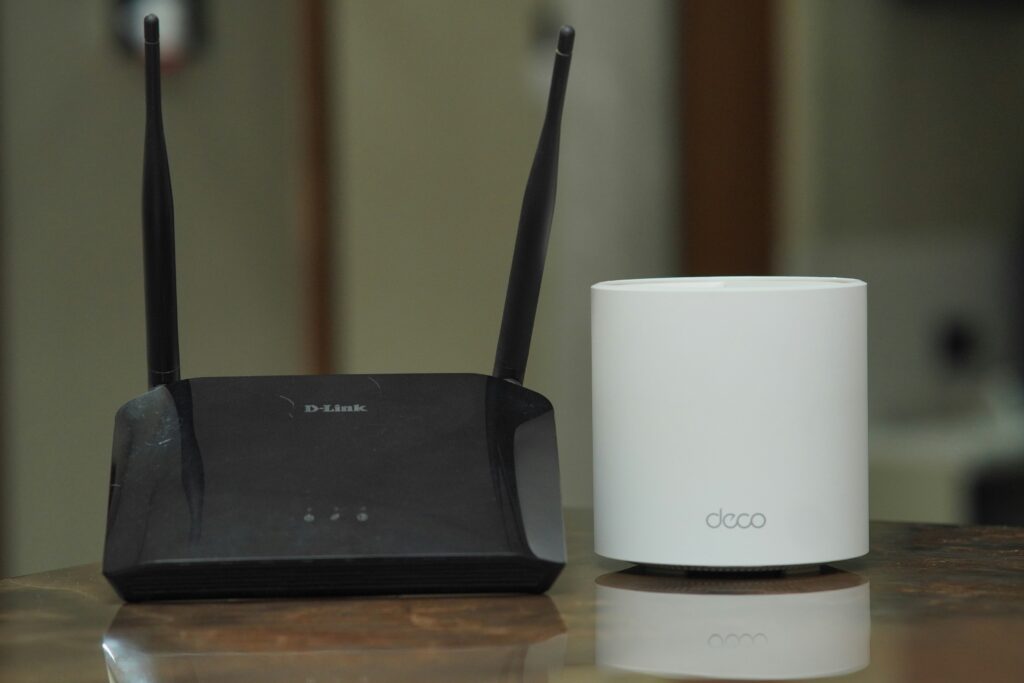
- Router: Has multiple ethernet ports (typically 4 LAN ports + 1 WAN port), antennas (for WiFi), and no coaxial port. The antennas are usually visible on routers.
- Gateway (combo): Has both a coaxial cable port AND multiple ethernet ports AND antennas. If it has all three, it’s a combo unit.
Frequently Asked Questions
What is the difference between a modem and a router?
A modem connects your home to your ISP’s internet network — it’s the bridge between the cable from the street and your home. A router takes that internet connection and distributes it to multiple devices via WiFi and ethernet, creating your home network. You need both functions for normal home internet use. Many people have a single gateway device that combines both functions.
Do I need both a modem and a router?
For cable or DSL internet with multiple devices and WiFi, yes — you need both modem and router functions. These can be in one combo gateway device or two separate units. For fiber internet, your ISP installs an ONT (equivalent to a modem), and you need a router to distribute the connection. If you only have one device and don’t need WiFi, you can plug directly into the modem without a router.
What is a modem router combo vs separate?
A modem router combo (gateway) performs both functions in one device — convenient, simpler setup, fewer cables. Separate modem and router devices offer more flexibility: you can upgrade just the router for better WiFi without replacing the modem, use higher-quality components for each function separately, and often get better WiFi coverage. The financial consideration: if your ISP charges a monthly rental fee for the combo device, buying your own separate modem and router typically pays for itself within 12-18 months.
What is a gateway vs modem and router?
A gateway IS a modem and router — the term gateway describes a device that combines both modem and router functions into a single unit. ISPs often use the word gateway for their combo devices. The Xfinity xFi Gateway, Spectrum Wave 2, and Verizon G3100 router are all gateways. Functionally, a gateway does everything that a separate modem + router would do, just in one box.
What is a modem vs router vs switch?
A modem connects your home to the internet via your ISP. A router distributes that internet connection to multiple devices and creates your home WiFi network. A switch adds more wired ethernet ports to a network that already has internet access — it’s an expansion tool, not an internet connection device. A switch alone cannot provide internet access. Most home users only need a modem and router (or a gateway combo); a switch is for users who need more wired ethernet ports than their router provides.
Final Thoughts
The clearest way to remember the difference: the modem talks to your ISP; the router talks to your devices. Your modem connects the outside world (internet) to your home; your router connects your home’s devices to each other and to that internet connection.
For most home setups, a gateway combo device from your ISP covers everything you need. If you’re paying a monthly rental fee for an ISP-provided device, buying your own modem and router will almost always save money over 12-24 months while typically providing better performance — especially WiFi range and reliability.