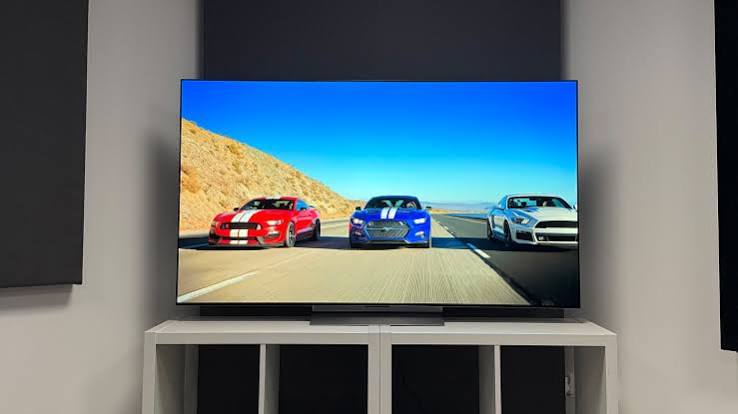
Samsung, Sony, and LG are the three dominant TV brands in the US premium market, and the choice between them is genuinely consequential — the underlying display technology differs meaningfully between brands, and the right choice depends heavily on your room lighting, primary use case (gaming, movies, sports), and budget. This guide breaks down the Samsung vs Sony and Samsung vs LG comparisons across every major TV category, with specific model comparisons and Samsung TV troubleshooting for common issues.
For Samsung phone and appliance comparisons, our Samsung vs LG appliances guide covers washing machines, refrigerators, and other home appliances separately from the TV comparison here.
Samsung vs Sony vs LG TV: Technology Overview
| Factor | Samsung | Sony | LG |
| Primary tech | QLED (quantum dot LCD), Neo QLED (Mini LED) | BRAVIA XR OLED and full-array LED | OLED (leader in OLED); also QNED (quantum dot NanoCell) |
| OLED availability | Limited — Samsung OLED (QD-OLED) on premium models | Sony uses LG OLED panels in most of its OLED TVs | Widest OLED lineup; most OLED options at most price points |
| Black levels | Good (Mini LED); not as deep as OLED | Excellent — Cognitive XR processing enhances OLED performance | Best absolute black levels — OLED is self-emissive |
| Brightness | Strongest — Samsung Neo QLED peaks highest brightness | Strong — especially on full-array LED models | OLED is dimmer at peak; newer panels have improved significantly |
| Gaming features | Excellent — 144Hz, VRR, ALLM on Neo QLED; best gaming TV lineup | Good — 120Hz, VRR on OLED and high-end LED | Excellent — LG OLED gaming is the top choice for many gamers |
| Smart OS | Tizen OS — well-regarded, fast, strong app selection | Google TV — best third-party app support | webOS — clean interface, good app selection |
| Price | Wide range; Neo QLED premium is expensive | Premium — Sony charges more for equivalent specs | OLED at multiple price points; evo panels are premium |
Samsung vs Sony TV: Key Differences
The Samsung vs Sony comparison has sharpened considerably in recent years because Sony’s best TVs now use OLED panels sourced from LG, running Sony’s own Cognitive XR processing — which means Sony OLED and LG OLED are showing very similar picture quality with different software and price positioning. Samsung’s answer to OLED is QD-OLED (quantum dot OLED) in its premium line and Neo QLED (Mini LED with quantum dot) across the broader premium range.
When to choose Samsung over Sony
- Bright rooms: Samsung’s Neo QLED produces significantly higher peak brightness than any OLED, making it better for well-lit living rooms
- Gaming: Samsung’s 144Hz panels and comprehensive VRR support make it the leading choice for gaming-focused buyers at the QLED tier
- Budget premium: Samsung offers more options in the $800–$1,500 range than Sony, which concentrates its best processing on higher-priced models
When to choose Sony over Samsung
- Movie and TV content: Sony’s Cognitive XR processor is widely regarded as producing more natural color gradation and better motion handling for film content than Samsung’s processing
- Calibration out of the box: Sony TVs consistently receive high praise for accurate factory calibration — the picture looks better without manual adjustment than most Samsung panels at the same price
- OLED: Sony OLED TVs combine LG’s excellent panel with Sony’s processing, which many reviewers prefer to LG’s native webOS processing
Samsung vs LG TV: QLED vs OLED
The Samsung vs LG TV debate is the most fundamental technology choice in the premium TV market — Samsung’s QLED/Neo QLED vs LG’s OLED — and the right answer depends on your specific room and use case rather than a universal recommendation.
| Use Case | Better Choice | Why |
| Bright room, daytime viewing | Samsung Neo QLED | Higher brightness overcomes reflections and maintains contrast |
| Dark room, movies | LG OLED | Perfect black levels and infinite contrast ratio; no blooming |
| Gaming (competitive) | Either — LG C-series OLED or Samsung Neo QLED | Both support 4K/120Hz and VRR; LG OLED has faster response time |
| Sports | Samsung Neo QLED | Higher brightness and motion processing suit fast-moving content |
| Budget conscious | Samsung Crystal UHD or LG NanoCell | Both offer 4K at accessible prices |
Samsung Crystal UHD vs QLED
Samsung’s own lineup spans multiple tiers, and the Crystal UHD vs QLED distinction is one of the most common sources of confusion for Samsung TV buyers. Crystal UHD is Samsung’s entry-level 4K LCD technology — no quantum dot layer — while QLED adds a quantum dot film that significantly improves color volume and brightness. The step up from Crystal UHD to QLED represents a meaningful picture quality improvement, particularly in color accuracy and peak brightness, and is generally worth the additional cost for buyers primarily watching HDR content.
Neo QLED adds a Mini LED backlight to the quantum dot technology, allowing for much finer local dimming control and substantially higher peak brightness. This is Samsung’s answer to OLED’s black level advantage — by using hundreds or thousands of small LED zones rather than a few large zones, Neo QLED achieves noticeably better contrast than standard QLED.
Samsung QN900F vs QN990F
The Samsung QN900F and QN990F are both at the very top of Samsung’s Neo QLED lineup. The primary difference is that the QN990F adds Samsung’s Zero Connect Box — a wireless connection hub that allows all HDMI sources to be connected to a separate unit rather than directly into the TV, enabling a completely cable-free TV installation. Both use the same panel and processor, so picture quality is equivalent. The choice between them comes down entirely to whether the wireless connection box is worth the significant price premium for your installation.
Hisense vs Samsung TV
Hisense has become the value alternative to Samsung for budget and mid-range TV buyers. Hisense’s U-series Mini LED TVs compete directly with Samsung’s Neo QLED at a notably lower price point, and independent reviews from RTINGS consistently show Hisense offering competitive brightness and contrast at a lower cost. Samsung maintains advantages in software quality, build finish, and broad feature support, but Hisense’s gap in raw panel performance has narrowed considerably in recent generations.
Samsung TV Troubleshooting
Samsung TV blue tint
A Samsung TV with a persistent blue tint typically has incorrect picture settings rather than a hardware fault. The first fix to try is resetting the TV picture settings to factory default: Menu > Settings > All Settings > Picture > Expert Settings > Reset Picture. Color temperature set too cool and incorrect backlight settings are the most common causes. If the tint persists after a full picture reset, the panel itself may have a white balance issue that can be addressed through the service menu — though this is a more advanced adjustment.
Samsung TV not connecting to WiFi
Samsung TVs that repeatedly lose WiFi connection are typically experiencing one of three issues: a router incompatibility (particularly with certain 5GHz band configurations), a software bug that clears on a factory reset, or a failing WiFi module. Performing a factory reset (Settings > General > Reset) resolves the issue in most cases. If the problem persists after a reset, checking whether the TV holds a wired ethernet connection reliably isolates whether the issue is in the WiFi module specifically.
How to turn off Samsung TV voice assistant
The Samsung TV voice assistant (Bixby or Amazon Alexa, depending on model configuration) can be disabled through the TV settings. On most Samsung TVs: Settings > General > Voice > Voice Wake-up, and toggle off. On models with a dedicated Bixby button on the remote, the button behavior can be remapped through Settings > General > Smart Features > Bixby Settings. Completely disabling all voice assistants on a Samsung TV requires turning off both Bixby and any additional assistants configured under the same menu.
Jellyfin on Samsung TV
Jellyfin, the free open-source media server, has an official app available on Samsung Tizen smart TVs through the Samsung TV App Store. The app supports direct play and transcoding from a Jellyfin server on the local network. If the Jellyfin app is not available on an older Samsung Tizen TV, sideloading the app via Samsung’s developer mode is the alternative — this involves enabling developer mode in the TV settings and installing the Jellyfin Tizen app package from a PC on the same network.
For independent Samsung, Sony, and LG TV measurements and detailed model comparisons, see RTINGS TV reviews. For Samsung TV support including software updates and remote control pairing, see the Samsung US TV support page.
LG C5 vs Samsung S90F
The LG C5 and Samsung S90F are both OLED TVs — the LG C5 using LG’s own WOLED panel and the Samsung S90F using Samsung’s QD-OLED (quantum dot OLED) panel. The two technologies produce subtly different results: LG WOLED has a slight advantage in white brightness due to the white subpixel in its panel structure, while Samsung QD-OLED typically shows superior color volume and color saturation, particularly in reds and greens, due to the quantum dot layer.
For most viewing environments, the differences between LG C5 and Samsung S90F are narrower than marketing materials suggest. Pricing at the time of purchase is typically the deciding factor, since both are excellent TVs with similar real-world performance. RTINGS measurements consistently show both models within a few percentage points of each other on the metrics that matter most for day-to-day viewing.
Samsung Frame TV: Free Art and Customization
The Samsung Frame TV is a niche product designed to look like a framed piece of art when not in active use, switching to display artwork through Samsung’s Art Store subscription when the screen would otherwise be off. The Art Store requires a monthly subscription for premium artwork, though Samsung does provide a rotating selection of free art that changes periodically.
For owners who do not want to pay the Art Store subscription, several options exist for displaying free artwork on the Samsung Frame TV: displaying personal photos through the Samsung SmartThings app, using a USB drive to display custom image files, or using free publicly available art downloads formatted to the TV’s resolution. Several websites and Reddit communities specifically curate free Frame TV-compatible artwork in the correct resolution and aspect ratio.
Samsung TV HomeKit Setup
Samsung TVs from 2018 onward support Apple AirPlay 2, which allows content to be cast from Apple devices, but HomeKit integration — allowing the TV to be controlled through the Apple Home app — requires a specific setup. On compatible Samsung Tizen TVs, HomeKit pairing is found in Settings > General > Apple AirPlay Settings, where the HomeKit setup code is displayed. Scanning this code with an iPhone or iPad adds the Samsung TV as a HomeKit accessory. Not all Samsung TV models support HomeKit, and the compatible model list is available on Samsung’s support site.
The Samsung TV ecosystem is one of the most comprehensive in the market — from the budget Crystal UHD to the flagship Neo QLED and QD-OLED — and the Tizen smart TV platform is consistently rated among the most responsive and feature-complete in the industry.
Whether you are choosing between Samsung and a competitor brand or troubleshooting an existing Samsung TV, the information in this guide covers the most common decision points and practical fixes without requiring specialized technical knowledge.
Samsung’s TV lineup continues to lead the market in brightness-related performance, and for buyers in typical mixed-light living rooms who watch a variety of content including sports, gaming, and general entertainment, a Samsung Neo QLED remains one of the safest all-round choices at the premium price point.
For dedicated home theater environments with controlled lighting, LG OLED remains the benchmark for picture quality, and Sony OLED adds a processing layer that many movie enthusiasts prefer.
The comparisons and troubleshooting steps in this guide cover the full spectrum of Samsung TV decisions — from technology choice to fixing common software and display issues — in one consolidated reference.
Use RTINGS for the objective measurements and this guide for the practical decision framework, and you will be well-equipped to choose the right Samsung TV for your specific situation or fix the one you already have.
Enjoy your Samsung TV, and take advantage of the strong Tizen app ecosystem, smart home integration, and gaming features that make Samsung one of the most complete TV platforms available in 2026.
Related Guides on TechPlayGuide
For more Samsung guides, see our Samsung TV parts and board repair guide.
For more Samsung guides, see our Samsung vs LG appliances comparison.
Bottom Line
| Bright room winner | Samsung Neo QLED — highest brightness in the category |
| Dark room / movies winner | LG OLED — perfect blacks, infinite contrast |
| Best for gaming | Either LG C-series OLED or Samsung Neo QLED; both excellent at 4K/120Hz |
| Best processing for film | Sony (Cognitive XR) — most natural color and motion |
| Crystal UHD vs QLED | QLED is meaningfully better; worth the upgrade for HDR content |
| QN900F vs QN990F | Same picture; QN990F adds wireless connection box for cable-free install |
| Budget alternative | Hisense Mini LED — competitive to Samsung Neo QLED at lower price |
Frequently Asked Questions
Is Samsung or Sony TV better?
Samsung TVs are better for bright rooms, gaming, and buyers who want the highest peak brightness available. Sony TVs are better for movie watching in darker rooms, offering superior out-of-box calibration and Cognitive XR processing that many reviewers prefer for film content. Both brands produce excellent TVs — the right choice depends on your room and primary use case.
Is Samsung QLED as good as OLED?
Samsung QLED and OLED are strong in different areas. QLED (especially Neo QLED Mini LED) achieves higher peak brightness and is better in bright rooms. OLED achieves perfect black levels and infinite contrast ratio, making it better in dark rooms for movies. Samsung’s own QD-OLED technology combines quantum dot with OLED for a middle-ground option, though it is only available on premium Samsung models.
What is the difference between Samsung Crystal UHD and QLED?
Samsung Crystal UHD is a standard 4K LCD TV without quantum dot technology. Samsung QLED adds a quantum dot filter that significantly improves color volume, color accuracy, and peak brightness. The upgrade from Crystal UHD to QLED represents a meaningful picture quality improvement, particularly for HDR content, and is generally worth the additional cost.
Why is my Samsung TV blue tinted?
A blue tint on a Samsung TV is most often caused by incorrect picture settings — particularly color temperature set too cool. Reset the picture settings to factory default through Menu > Settings > All Settings > Picture > Expert Settings > Reset Picture. If the blue tint persists after a full picture reset, a white balance calibration through the service menu may be required.
How do I turn off the voice assistant on my Samsung TV?
To disable the Samsung TV voice assistant, go to Settings > General > Voice > Voice Wake-up and toggle off. For Bixby specifically, go to Settings > General > Smart Features > Bixby Settings to fully disable it. The exact menu path may vary slightly between Samsung TV model years.