Cyberpunk 2077 landing on Nintendo Switch 2 at launch was a statement — a demonstration that CD Projekt Red’s open-world RPG, a game that destroyed last-generation console hardware at its 2020 debut, could run meaningfully on Nintendo’s new portable. After Digital Foundry’s technical analysis and extended hands-on time with the Switch 2 version, the answer is more impressive than most players expected, with specific caveats that determine whether it’s the right version for you.
This review covers the full technical picture — DLSS implementation, frame rate modes, docked vs handheld performance, how Phantom Liberty runs differently from the base game, and what the Switch 2 version means for anyone deciding whether to buy or double-dip.
Cyberpunk 2077 Switch 2: Technical Specs at a Glance
| Quality Mode (30fps) | Performance Mode (40fps) | |
| Docked output | 1080p with DLSS | 1080p with DLSS |
| Docked internal resolution | 720p–1080p dynamic | 540p–1080p dynamic |
| Handheld output | 1080p with DLSS | 720p with DLSS |
| Handheld internal resolution | 450p–810p dynamic | 360p–720p dynamic |
| Target frame rate | 30 FPS | 40 FPS (120Hz TV/screen required) |
| Phantom Liberty performance | More drops; performance mode recommended | Better but still taxing |
| DLSS | Yes — Nvidia Tensor cores | Yes — Nvidia Tensor cores |
| Port developer | CD Projekt Red (internal) | CD Projekt Red (internal) |
| DLC included | Phantom Liberty expansion | Phantom Liberty expansion |
DLSS: The Game-Changer for Switch 2
Cyberpunk 2077 is the first major game to confirm DLSS on Nintendo Switch 2, and the implementation matters significantly for understanding the port’s quality. DLSS — Nvidia’s Deep Learning Super Sampling — uses the Switch 2’s Nvidia Tensor cores to reconstruct a sharper, higher-resolution image from a lower internal render. In practice, this means the Switch 2 version consistently outputs cleaner images than the raw internal resolution suggests.
CD Projekt Red confirmed the DLSS implementation: ‘We’re using a version of DLSS available for Nintendo Switch 2 hardware, powered by Nvidia’s Tensor cores. The game utilises DLSS in all four modes: in handheld and docked, and the performance and quality variations of each.’
The practical result: Digital Foundry’s comparative analysis found the Switch 2 docked image quality comparable to Xbox Series S in multiple visual categories, sometimes exceeding it. The raw underlying resolution (540p to 1080p dynamic in performance mode docked) sounds alarming, but the DLSS reconstruction means the perceived image quality is substantially better than those numbers imply. DLSS struggles more noticeably during heavy motion with lots of enemies on screen — the situations where lower base resolution is hardest to upscale cleanly.
Compared to Steam Deck, which uses AMD’s FSR for upscaling: the Switch 2’s DLSS implementation produces a cleaner, less grainy image in comparable quality mode testing. The textures and lighting in particular favor the Switch 2 side in direct comparisons.
Quality Mode vs Performance Mode: Which Should You Use?
Quality Mode (30fps)
Quality mode targets 30 FPS at 1080p output with DLSS in both docked and handheld play. The internal dynamic resolution scales between 720p and 1080p docked (450p to 810p in handheld) to maintain the 30fps target. For most of the base game’s Night City exploration, this mode holds its target frame rate consistently and provides the best visual output the port offers.
Quality mode is the recommended choice for players who prioritize image quality and visual fidelity over the smoother frame rate. Night City’s neon-lit environments, the HDR contrast in handheld mode, and the detail in character models all benefit from quality mode’s higher resolution range. The 30fps target is also more consistently achieved in quality mode than in performance mode’s 40fps target.
Performance Mode (40fps)
Performance mode targets 40 FPS — a frame rate that requires a 120Hz television when docked, and uses the Switch 2’s 120Hz handheld screen in portable play. The dynamic resolution range drops to 540p to 1080p docked and 360p to 720p handheld to achieve this target.
The 40fps target is genuinely impressive when Night City runs at its benchmark: the additional fluidity over 30fps is noticeable, and for action-oriented play (combat, rapid traversal), performance mode feels meaningfully better. However, performance mode is the better recommendation for Phantom Liberty specifically, where the DLC’s heavier areas cause more significant frame rate drops in quality mode.
Recommendation
Base game exploration: Quality mode for the best visual experience. Phantom Liberty and intensive combat sections: Performance mode to maintain acceptable frame rates. The game allows switching between modes in Settings without restarting, so adjusting to performance mode when needed and returning to quality mode for cutscenes and city exploration is a practical approach.
Docked vs Handheld: The Switch 2 Experience
Docked Performance
The docked experience is genuinely impressive by portable gaming standards. Digital Foundry’s analysis compared the docked Switch 2 against Xbox Series S and found comparable or occasionally superior results in certain visual categories — crowd density and some lighting effects are reduced versus higher-end platforms, but the DLSS-reconstructed 1080p output is consistently cleaner than the raw metrics suggest.
For a 30fps game on a television, quality mode docked delivers a visually coherent Night City that holds up at normal viewing distance. The art direction of Night City — the neon saturation, the district character, the density of environmental detail — translates effectively at this resolution and frame rate.
Handheld Performance
The handheld experience is where Switch 2 makes its most compelling argument as a platform for demanding third-party games. The Switch 2’s 7.9-inch HDR OLED screen in quality mode (targeting 1080p output with DLSS from 450p to 810p internal) produces a Night City that looks substantially better than the raw numbers would suggest. The screen’s HDR capability makes the neon lights pop in ways that the reviewer’s description of being ‘mesmerizing’ in handheld mode reflects.
Performance mode in handheld drops the output to 720p with DLSS from 360p to 720p internal — the additional blurriness during heavy motion is more noticeable on the handheld screen at close viewing distance than on a television. For combat-heavy play in handheld, the image quality trade-off versus quality mode is more apparent.
Phantom Liberty: The Performance Warning
Phantom Liberty — CD Projekt Red’s acclaimed espionage-thriller expansion set in Dogtown — is included with the Switch 2 Ultimate Edition. It is also where the performance picture becomes more complicated.
Digital Foundry’s analysis noted that Phantom Liberty ‘is where there are more struggles’ compared to the base game. The DLC’s areas are more densely populated with AI, environmental detail, and geometry than most of Night City, and the frame rate drops are more frequent and more severe. Quality mode in Phantom Liberty can produce noticeable drops below 30fps in the DLC’s most intensive sections.
The reviewer’s personal experience aligned with this finding — specifically calling out performance mode as the recommended setting for Phantom Liberty. With performance mode’s lower resolution targets, the DLC becomes more playable, though frame rate consistency is still not guaranteed in the heaviest sections.
This is not a reason to avoid Phantom Liberty — it remains excellent content, and the espionage storyline and character dynamics (particularly the Reed/Songbird relationship arc) are among the strongest storytelling CD Projekt Red has produced. But players should go in knowing that performance mode is the better setting for DLC play.
Cyberpunk 2077 as a Game: What You’re Actually Getting
Night City and the Open World
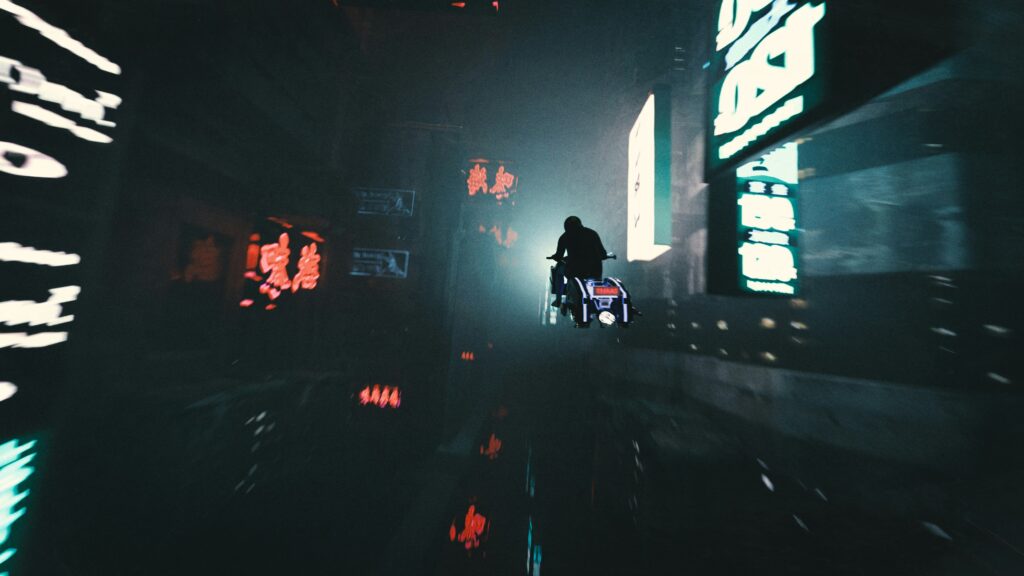
Cyberpunk 2077’s Night City is one of the most densely realized open worlds in RPG gaming — a megacity divided into distinct districts (Japantown with its neon-lit sushi bars and Yakuza nightclubs; Pacifica’s forgotten blocks of poverty and gang territory; the gleaming corporate corridors of City Center) that each feel like distinct environments rather than reskins of the same urban template. The vertical density of the city — neon signs stacked above street-level vendors, elevated highways cutting through residential towers, rooftop access revealing entirely new navigation layers — rewards exploration consistently.
Story and Characters
You play as V, a mercenary whose LifePath background (Corpo, Nomad, or Street Kid) determines the opening chapter and unlocks specific dialogue options throughout the game. After a heist goes wrong, V ends up with the Relic — an experimental biochip containing the digital ghost of Johnny Silverhand, a rockstar revolutionary from 50 years prior — embedded in their skull, slowly overwriting V’s personality. Johnny is voiced by Keanu Reeves and serves as the game’s primary antagonist-companion: present for most of V’s journey, frequently critical of their choices, gradually humanized as his own history is uncovered.
The main story runs approximately 15 to 20 hours if followed directly. A full playthrough including major side quests and gigs runs 50 to 80 hours. The game has multiple endings determined by choices made throughout the game and in the final mission.
Build Variety and Gameplay
The skill tree allows for genuinely distinct playstyles. Close-range melee builds (Body + Reflexes) turn V into a close-quarters specialist with mobility options like air dash. Netrunner builds (Intelligence) allow remote hacking that can end encounters without direct combat. Firearms builds cover everything from stealthy silenced approaches to full-auto chaos. The game does not require understanding all of this at the start — early hours with a single combat approach are workable, and the build specialization becomes more impactful as attribute points accumulate.
Joycon Mouse Support
The Switch 2 version supports the Joycon Mouse feature — using the right Joycon as a mouse for camera and aiming control. In practice, the implementation has limitations: the face button placement with the mouse grip creates awkward access to commonly used controls (particularly the Y button), and extended play sessions with the mouse grip cause discomfort for some users due to the grip ergonomics.
The Joycon Mouse is best treated as an optional feature rather than the primary control method. Standard controller play with the analog stick is how most players will and should experience the game.
Is Cyberpunk 2077 on Switch 2 Worth It?
For Players New to Cyberpunk 2077
Yes — if you own a Switch 2 and want a major open-world RPG, Cyberpunk 2077 Ultimate Edition (including Phantom Liberty) is the most technically ambitious third-party game available at the platform’s launch. The DLSS implementation produces genuinely good image quality, the performance modes give flexibility based on preference, and Night City is one of the most impressive open worlds in gaming. The portability of the Switch 2 version adds value that the PS5/Xbox versions cannot offer.
For Players Who Own Cyberpunk on Another Platform
The Switch 2 version supports cross-save with PC, PS5, and Xbox Series X/S via the Cyberpunk 2077 website — you can transfer an existing save to the Switch 2 version and continue where you left off. For players who want to replay Night City in portable form, or who want to continue an existing playthrough on the go, the cross-save feature makes the Switch 2 version genuinely practical as a secondary experience.
Technical Caveats
The Phantom Liberty performance issues are real and should factor into your expectations. The Joycon Mouse ergonomics limit that feature’s practical utility. The frame rate targets (30fps quality, 40fps performance) are below the 60fps standard of PS5 and Xbox Series X/S versions, and the 40fps performance mode requires 120Hz display support. These are the trade-offs for portable play.
Switch 2 vs Other Platforms: At a Glance
| Switch 2 (Docked) | Switch 2 (Handheld) | PS5/Xbox Series X | Steam Deck | |
| Resolution | 1080p (DLSS) | 1080p (DLSS) | 4K/1440p | ~800p (FSR) |
| Frame rate | 30 or 40fps | 30 or 40fps | 60fps | 30–40fps |
| Upscaling | DLSS | DLSS | FSR / native | FSR |
| Image quality | Close to Series S | Good for screen size | Best available | Slightly below Switch 2 |
| Portability | Yes | Yes — best option | No | Yes |
| Phantom Liberty | Included | Included | Separate or included | Separate |
Frequently Asked Questions
How does Cyberpunk 2077 perform on Nintendo Switch 2?
Cyberpunk 2077 on Switch 2 offers two frame rate modes: Quality (30fps, 1080p output with DLSS) and Performance (40fps, 1080p output docked / 720p handheld with DLSS). The base game runs the quality mode target reasonably consistently across Night City exploration. Phantom Liberty performs more variably, with more frequent drops in quality mode — performance mode is the recommended setting for the DLC. Digital Foundry’s analysis found docked image quality comparable to Xbox Series S in many respects, which is an impressive achievement for a handheld device.
Is DLSS available in Cyberpunk 2077 on Switch 2?
Yes — Cyberpunk 2077 is confirmed as one of the first Switch 2 games to implement Nvidia DLSS using the Switch 2’s Tensor cores. DLSS is active in all four modes (docked quality, docked performance, handheld quality, handheld performance). The upscaling significantly improves image clarity over what the raw internal dynamic resolution would otherwise produce.
Does Cyberpunk 2077 Switch 2 include Phantom Liberty?
Yes — the Switch 2 version is the Cyberpunk 2077 Ultimate Edition, which includes the Phantom Liberty expansion. The DLC is pre-installed and available immediately. Note that Phantom Liberty performance is more variable than the base game, with more frequent frame rate drops — performance mode is recommended when playing the DLC.
Does Cyberpunk 2077 Switch 2 support cross-save?
Yes — cross-save between Switch 2 and other platforms (PC, PS5, Xbox Series X/S) is supported via the Cyberpunk 2077 website. Players can transfer existing saves to and from the Switch 2 version, making it practical to continue an existing playthrough on the go or start on Switch 2 and transfer progress to another platform.
Final Verdict
Cyberpunk 2077 on Nintendo Switch 2 is an achievement in portable gaming — CD Projekt Red’s internal port team delivered a version of one of the most demanding open-world games in existence that runs meaningfully on portable hardware, supported by DLSS technology that elevates image quality well above what the dynamic resolution metrics suggest. The 30fps quality mode and 40fps performance mode give players genuine flexibility, Night City’s art direction translates effectively to the Switch 2’s HDR screen in handheld mode, and the inclusion of Phantom Liberty makes the Ultimate Edition a complete package.
For PC players wanting to compare Switch 2 performance against their rig, check your Cyberpunk 2077 PC FPS using our FPS Calculator — Cyberpunk 2077 FPS estimates by GPU and quality setting.
The Phantom Liberty performance issues, the frame rate ceiling below the premium platform versions, and the Joycon Mouse ergonomic limitations are real caveats. But for a game that destroyed last-generation hardware at launch, running at this quality level on a handheld device at Switch 2’s launch represents exactly what Nintendo’s new hardware was promising when it was announced.